




You switch on a VPN to hide where you are. Your iPhone never got the memo.
When iOS establishes a VPN connection, it does not tear down the connections already running. Long-lived sessions — most notably Apple Push Notification service (APNs) — keep talking to Apple outside the tunnel for minutes to hours, carrying your device's real IP address instead of the VPN's.[1]
The iOS 14 kill-switch API does not fully close the gap either: certain DNS queries from Apple's own services still bypass the tunnel.[2]
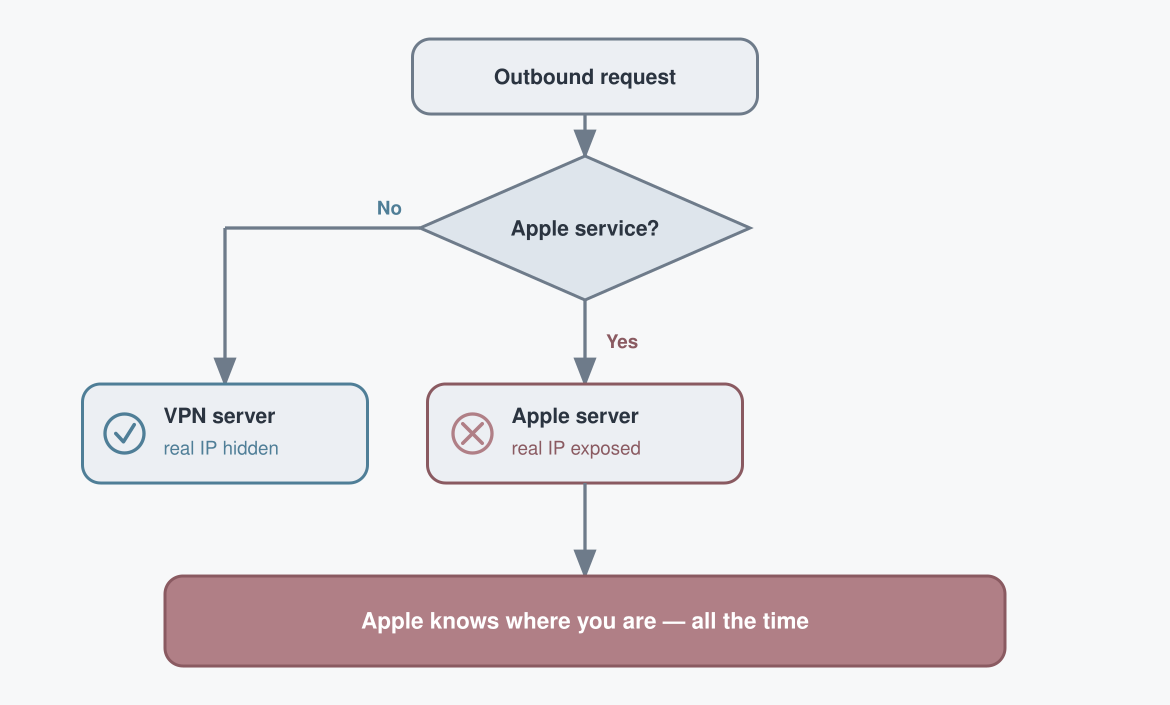
Apple calls this behaviour "expected." A true always-on VPN exists only on supervised devices managed through corporate MDM — not on a consumer iPhone.[1]
Use a VPN — but know the risk that lingers. The leak isn't the app you were worried about; it's the operating system underneath it, and you can't uninstall that. A real IP gives away roughly city-level location and your network identity, not a GPS pin, but enough to place you. And the phone keeps handing it to Apple continuously, before you open a single app.
After turning on a VPN, toggle airplane mode off and on to force the open connections to re-establish inside the tunnel.[1]
When was the last time you checked what your phone leaks before you opened an app?
References
- ProtonVPN, "VPN bypass vulnerability in Apple iOS (disclosure)" — https://protonvpn.com/blog/apple-ios-vulnerability-disclosure
- SecurityWeek, "No Patch for VPN Bypass Flaw Discovered in iOS" — https://www.securityweek.com/no-patch-vpn-bypass-flaw-discovered-ios/

 Instagram