




"How do I make sure my system doesn't get hacked?" That's the question we get most from small business owners. On a small budget, the honest answer is that you can't — one reused password, one ransomware attachment, one breached supplier, and someone is already in. You can't wall off all three.
So stop paying for prevention you can't afford. What a small budget can buy is survival — the difference between a bad week and closing for good. It comes down to a couple of cheap moves, and which side of that line they put you on.
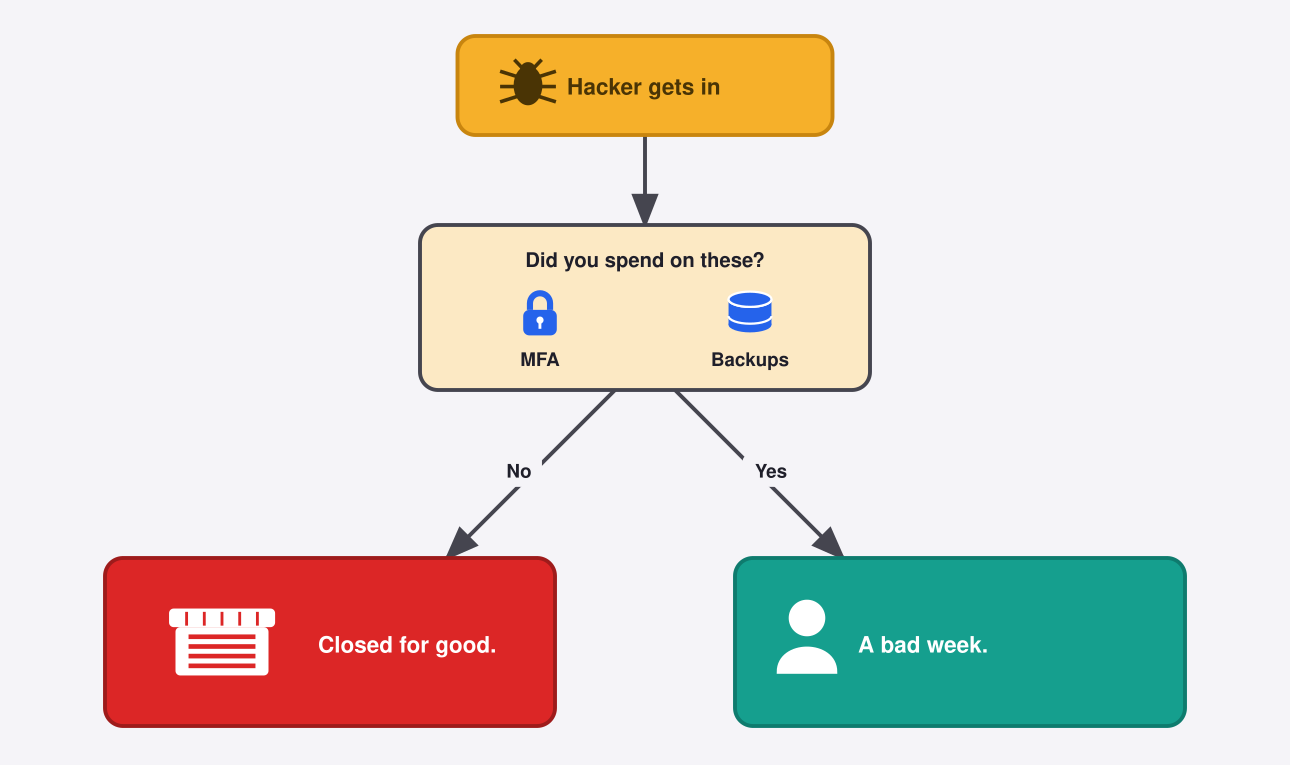
Assume they get in
Assume the click happens — a stolen password, a ransomware attachment, a compromised supplier. The question stops being "how do I keep everything out?" and becomes "when something gets in, does my business survive it?"
What to do
Turn on MFA (Multi-factor Authentication)
Turn on multi-factor authentication and that password becomes almost useless on its own. The attacker got your password and still got nowhere.
Microsoft Security: MFA blocks more than 99% of automated account-takeover attempts.
Back up your data
Ransomware encrypts your files and demands money to hand them back. Keep offline backups, and test that they actually restore, and you don't have to negotiate — you rebuild. Per Sophos's State of Ransomware 2025, restoring from backups is the most common way victims get their data back, and it doesn't cost you the ransom. (Backups won't unsend data an attacker already copied, but they end the ransom's hold on your operations.)
Not sure which of your systems would survive a bad day? That's the question we help small teams answer.
References
- Microsoft Security. "One simple action you can take to prevent 99.9 percent of attacks on your accounts." August 2019. https://www.microsoft.com/en-us/security/blog/2019/08/20/one-simple-action-you-can-take-to-prevent-99-9-percent-of-account-attacks/
- Sophos. "The State of Ransomware 2025." June 2025. https://www.sophos.com/en-us/blog/the-state-of-ransomware-2025

 Instagram