




You wiped the drive and ran a virus scan. Clean. So it's safe to plug in — right?
Here is the catch: there was nothing to scan. The dangerous part of a BadUSB device was never a file. It lives in the chip that tells your computer what the device is — and that chip can claim to be a keyboard.
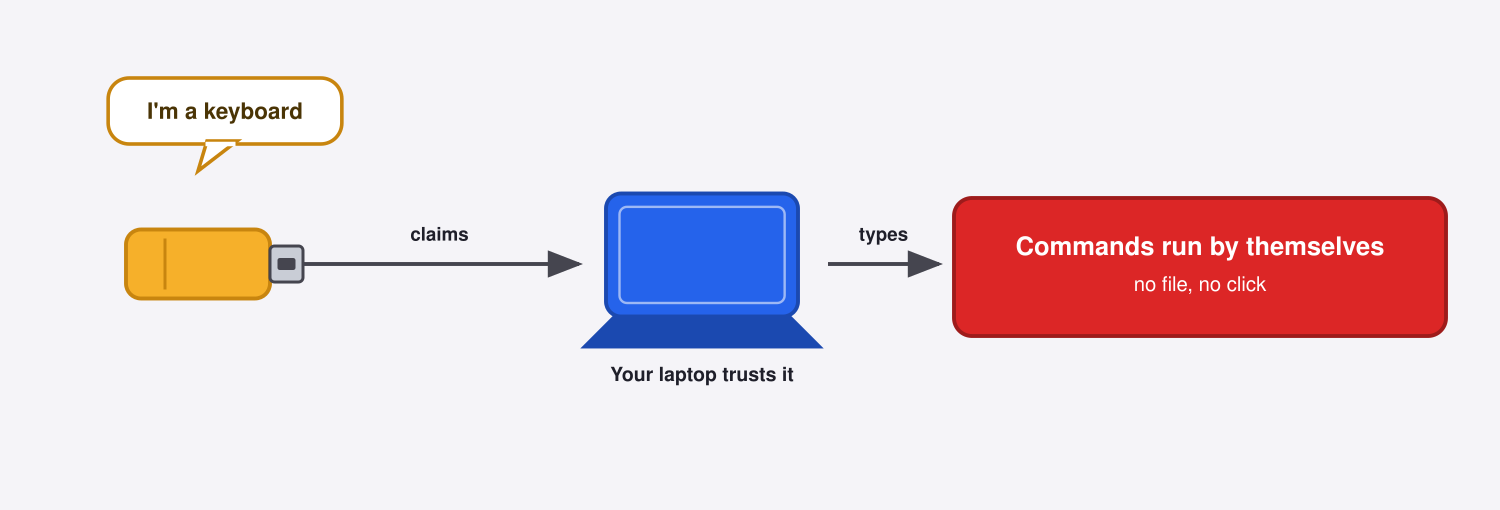
BadUSB lets a device say what it is
Plug anything into a USB port and it introduces itself, declaring its type — storage, keyboard, webcam. Your operating system takes that at face value. But that identity lives in the device's controller firmware, which can be rewritten so the same stick announces "I'm a keyboard." Karsten Nohl's team at SRLabs proved this at Black Hat in 2014.[1]
What it does once it's trusted
Once your computer accepts the keyboard, the device starts typing commands faster than any human could — opening a terminal, fetching a payload. Off-the-shelf injectors have done this for years. The commands run with your own logged-in privileges, nothing to click and no file to open. That is user-level access, not admin — full takeover needs another step — but it runs as you, silently.
Avoid getting hacked with these tips
- Never plug in a USB device you found or can't account for.
- Use a data blocker when charging from a port or cable you don't control. It's a cheap adapter (a "USB condom") that passes power but physically cuts the USB data lines, so you charge without any data, or keystrokes, crossing.
- Turn on endpoint device control, or USB allowlisting. It limits what a device is allowed to be, so a storage stick cannot start acting as a keyboard.
- Treat "it scanned clean" as necessary, not sufficient. A passing scan is not a security program.
Found a USB stick in your parking lot? Don't plug it into your computer.
References
- Karsten Nohl, Sascha Krißler, Jakob Lell (SRLabs). "BadUSB — On Accessories That Turn Evil." Black Hat USA 2014. https://www.blackhat.com/us-14/briefings.html#badusb-on-accessories-that-turn-evil
 Instagram