




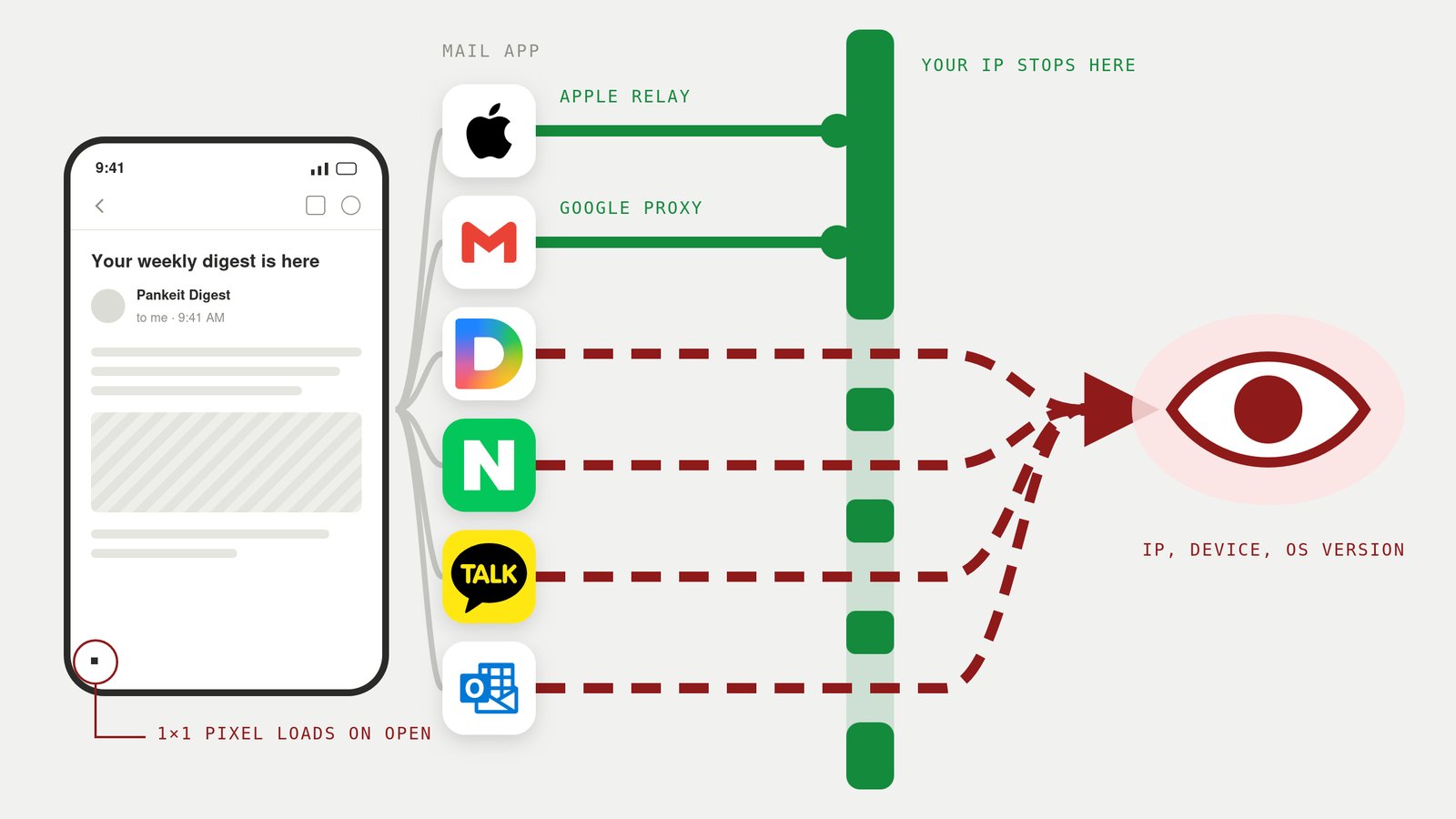
We sent emails to Gmail, Outlook, Apple Mail (iCloud), Naver, Kakao, and Daum. When opening them, Gmail and Apple Mail hid our location, while Naver, Kakao, Daum, and Outlook handed the sender our IP address and browser details.
Proxying remote images is a basic privacy defense, but only two of these five services enable it by default, while the other three leave users exposed. Here is what our experiment revealed.
How we tested
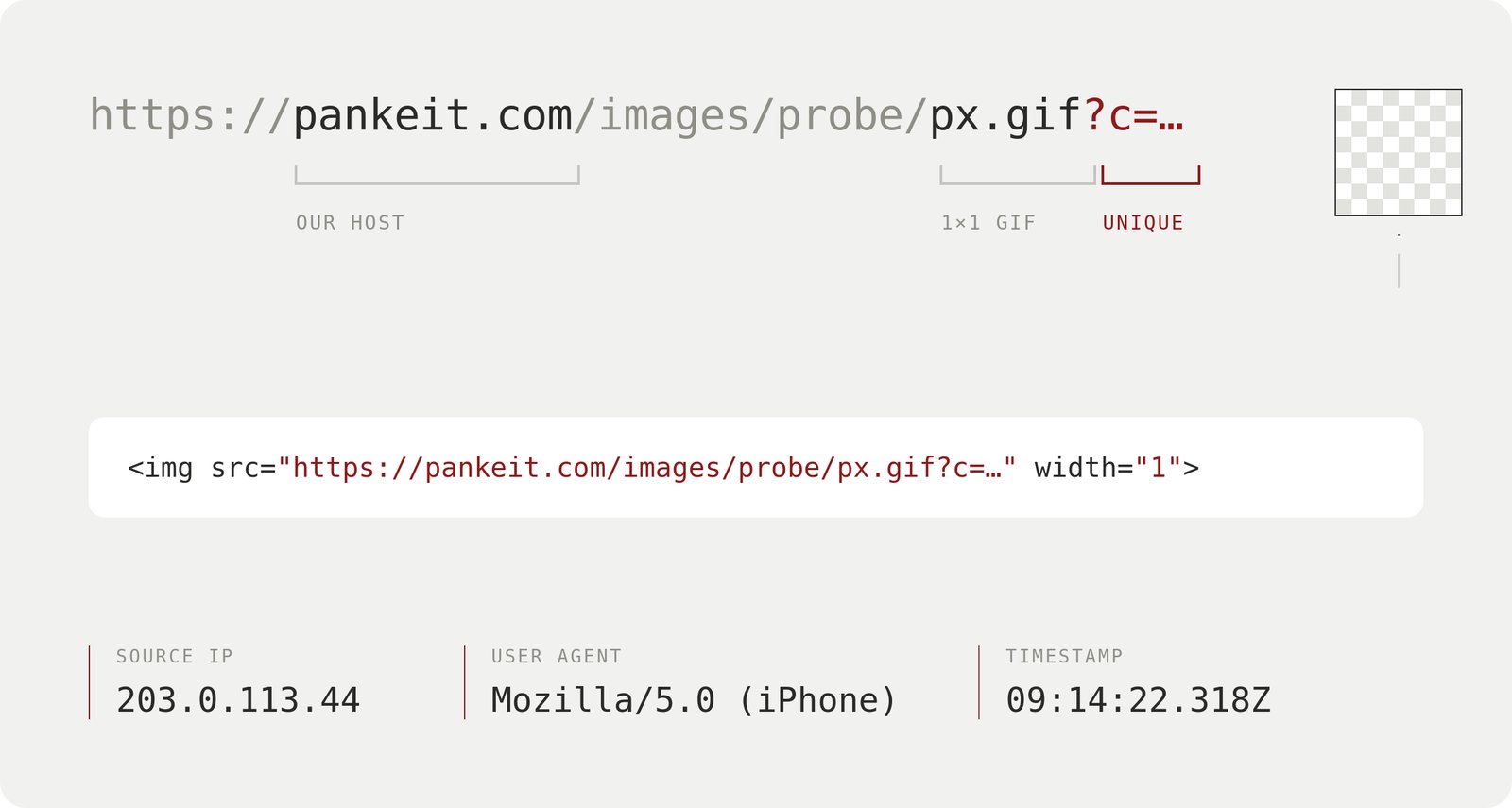
Each message contained a 1x1 tracking GIF with a unique query string. The pixels were hosted on our CDN, so every request logged the source IP, user agent, and timestamp.
Experiment Results
| Mailbox | IP | User Agent |
|---|---|---|
 Gmail Gmail |
Google proxy IP | Google's proxy, no device details |
 Apple Mail — protection on Apple Mail — protection on |
Cloudflare relay IP | Blank, no device details |
 Naver Naver |
Your IP | Your phone, OS version, app version |
 Kakao Kakao |
Your IP | Your phone, app version, an outdated OS version |
 Daum Daum |
Your IP | Your operating system and browser |
 Outlook Outlook |
Your IP | Your operating system and browser |
| Apple Mail — protection off |
Your IP | Blank, no device details |
Gmail loads remote images through Google's proxy servers, masking your local IP.
Apple Mail with "Protect Mail Activity" enabled routes through a Cloudflare relay. Turning off Apple's protection fetched images directly from our device. The user agent remained Mozilla/5.0 in both tests, proving that blank user agent strings are not tied to Apple's protection feature.
Outlook, Naver, Kakao, and Daum: all four services revealed when the email was opened, the user's network location (IP), and the browser user agent (which device + which browser). Naver handed over the phone's OS version: 26.6, while KakaoTalk reported 18.7 - likely a fixed string baked into the in-app browser.
Differences in Image proxying
Google proxies images to prevent security exploits, so hiding reader identities is a side effect.
Apple introduced Protect Mail Activity with the goal of stopping senders from tracking IP addresses.
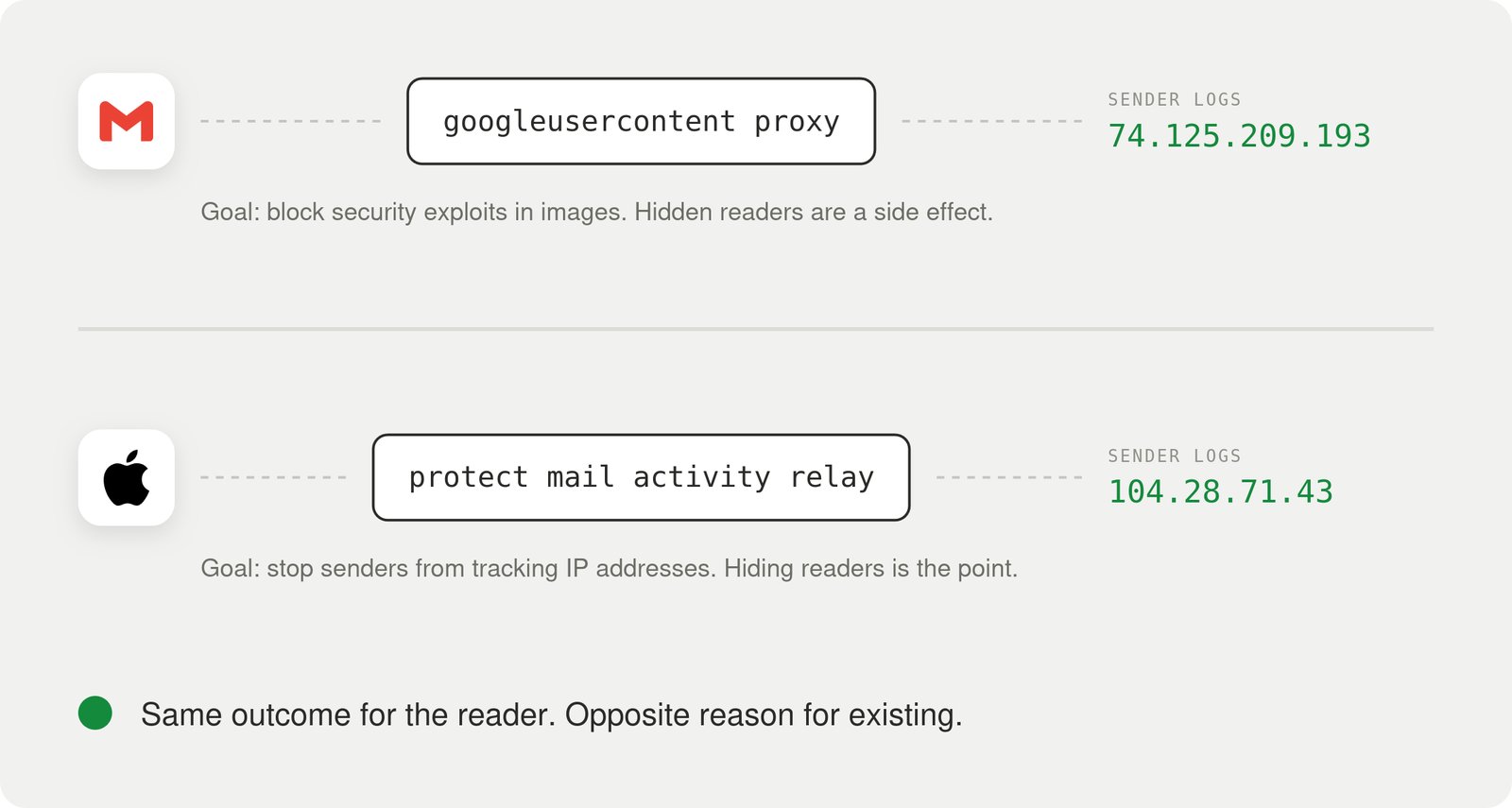 Naver, Kakao, Daum, and Outlook still request images through the reader's direct connection, leaking IP addresses by default.
How to protect your privacy
To protect yourself, disable automatic image loading:
Your email provider determines your baseline privacy. Using Naver, Daum, or Outlook exposes your data unless you take manual action.
To protect yourself, disable automatic image loading:
- Gmail: Settings → See all settings → Images → Select "Ask before displaying external images".
- Apple Mail (iOS):
- iOS 16 & later: Settings → Apps → Mail → Privacy Protection → Turn off "Protect Mail Activity" → Toggle on "Block All Remote Content".
- iOS 15: Settings → Mail → Privacy Protection → Turn off "Protect Mail Activity" → Toggle on "Block All Remote Content".
- Daum Mail:
- Web: We could not find a way to turn off automatic image loading.
- Mobile App: Settings (환경설정) → General (일반) → Turn off "always display images" (본문 내 이미지 항상 표시).
- Outlook: we couldn't find a way to hide the IP address when fetching images in the Web version.
- Naver Mail: we couldn't find a way to hide the IP address when fetching images in the Web or Mobile or Mobile Mail versions
- Kakao Mail: we couldn't find a way to hide the IP address when fetching images in the Web or Mobile versions.
Remember: blocking remote images does not stop link tracking. Clicking a rewritten link will still expose your activity regardless of your image settings.
Have you checked whether your email provider protects your IP address?
References
- Google Workspace Admin Help — Set up an image URL proxy allowlist
- Apple — Mail Privacy Protection & Privacy
- Gmail Help — Images in Gmail

 Instagram