




You clicked "Reject All." The same ads still follow you. Your instinct was right — rejecting cookies is worth doing. It just closes one door of several. Here is how websites track you without cookies, and what actually helps.
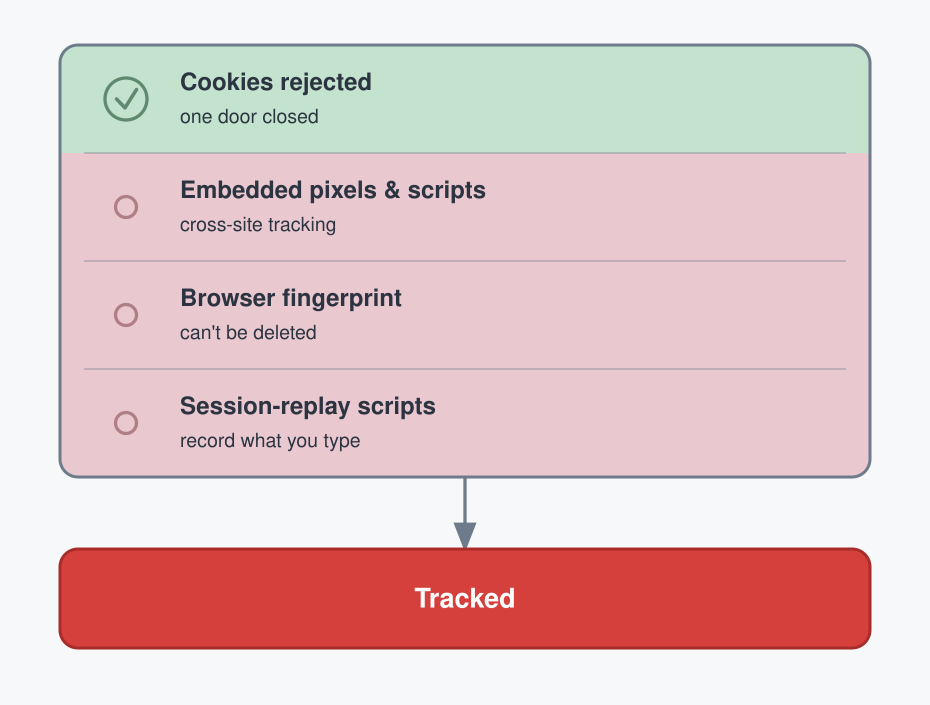
The other doors
Most sites embed third-party content: an ad, a share button, an analytics script. That embedded code sees you on every site that runs it and links those visits into one profile — cookie or no cookie. This is cross-site tracking, and rejecting cookies never touched it.
Some sites go further. Session-replay scripts record your mouse movements, your scrolling, and what you type — including text you delete before hitting send. A Princeton study found these on 482 of the 50,000 most popular sites.[1]
The one you can't delete
Even with every cookie rejected and cleared, a site can still recognize your browser from how it's configured: screen size, installed fonts, hardware, language, settings. Stitched together, that profile is nearly unique. The EFF measured roughly 83.6% of browsers as individually identifiable with no cookies at all.[2]
A cookie you can delete. A fingerprint you cannot.
And in February 2025, Google updated its policy to permit fingerprinting for ad measurement.[3] The hardest method to escape just got a green light.
Why it's getting harder to block
On Chrome, the most capable blockers are being curtailed. Manifest V3 replaced the powerful content-blocking API with a rule-limited one; the full uBlock Origin was pulled, and the remaining older extensions were disabled for good in July 2025.[4] Firefox still supports full-strength blockers. Turning off JavaScript defeats most tracking too — and breaks most of the modern web.
What actually helps
None of these are complete. That's the honest part.
- Separate browser profiles or devices for work and personal — compartmentalizes, but does nothing about tracking within a profile.
- Clear cookies and site data on every browser close (Firefox has a setting for it) — clears cookies, not your fingerprint, and you re-enter every password.
- A VPN with tracker blocking — hides your IP, but not cookies or your fingerprint, and "tracker protection" is usually just a DNS blocklist. It has sharper limits than most people expect: your iPhone can leak its real IP with the VPN on.
- Tor Browser for quick, sensitive browsing — genuinely strong, because every user looks nearly identical, but it breaks many sites, and any login re-identifies you.
Which of these four did you already have in place — and which one surprised you?
References
- No Boundaries: Exfiltration of Personal Data by Session-Replay Scripts — Princeton CITP, via Privacy International. https://privacyinternational.org/examples/1918/no-boundaries-exfiltration-personal-data-session-replay-scripts
- Cover Your Tracks (formerly Panopticlick) — Electronic Frontier Foundation. https://coveryourtracks.eff.org/
- Google's pivot on digital fingerprinting for cross-device ad measurement (effective February 16, 2025) — eMarketer. https://www.emarketer.com/content/google-pivot-digital-fingerprinting-enable-better-cross-device-measurement
- Google disables uBlock Origin and Manifest V2 content blockers in Chrome — The Next Web. https://thenextweb.com/news/chrome-manifest-v3-ublock-origin-content-blockers-disabled
 Instagram