




On the Seoul subway my phone joined the WiFi before I had it out of my pocket — and so had the carful of strangers pressed in around me. The person in the next seat is on the same network I am. Can they read what my phone is sending? The answer was decided the instant I connected, by one detail in the WiFi list I had never once looked at — and most people never do.
The moment my phone connected for me
The convenience is real, and so is the unease that follows it.
I went down the location rabbit hole in an earlier piece — how the carrier can tell which train you are on from that same auto-connect (the train's WiFi knows where you are). This time the worry is closer to home. Forget the carrier for a moment. Can the passenger across the aisle read what my phone is sending?
Two networks wearing almost the same name
Here is the thing I only noticed when I actually looked at the WiFi list. The train broadcasts two networks, and they sit one line apart. On SKT you get T wifi zone and T wifi zone_secure; Seoul's public WiFi does the same with SEOUL and SEOUL_Secure. One is open, one is encrypted, and both are broadcasting right now.
나무위키 (T 와이파이): the open
T wifi zoneneeds no password and accepts any device, whileT wifi zone_secureauthenticates through your USIM before it lets you on.
They look almost the same in the list. The suffix is the whole story. Which one your phone landed on decides whether the stranger next to you can passively read your traffic.
Can someone on the same WiFi see my traffic?
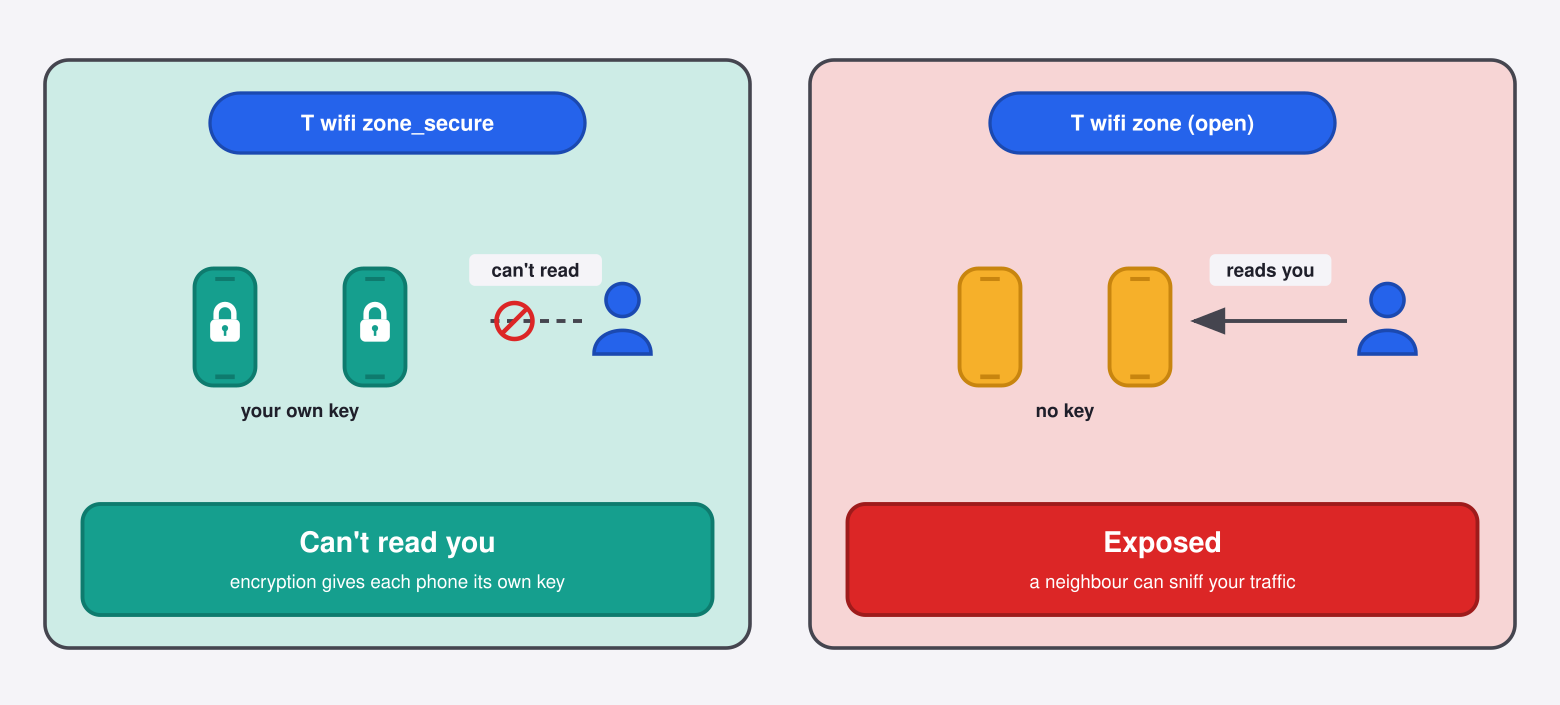
It comes down to encryption, and specifically to how the network hands out keys. There are three ways this goes, and only the third one shuts the door.
- The open network gives out no key at all.
T wifi zone,SEOUL, any open café SSID — the traffic travels over the air with no link-layer encryption, so a neighbour running free, off-the-shelf software can pull your packets out of the air — though anything behind the browser padlock stays scrambled even here. This is the only place the real danger lives. - Your café's password network gives everyone the same key. WPA2-Personal derives one key from the shared password. Anyone who also knows that password — every other customer — can derive the per-session keys and decrypt the others. That is a separate story for another day, but it is why "it has a password" is not the reassurance people think.
- The
_securenetwork gives every phone its own key. This is WPA2/WPA3-Enterprise. When your USIM authenticates, a RADIUS server issues a unique, random key for your session alone.
That third case is the one that matters, and the math itself is what makes it hold.
UC Berkeley CS161: in the enterprise setup each client negotiates its own pairwise master key with the authentication server, so no other user on the network holds the material to decrypt your session.
On _secure, then, the passenger next to you holds a key to their own session and nothing else. Passively reading your phone is not something they can choose to do — the network never gave them the means. That is the reveal I was looking for.
The one that still worries me: the evil twin
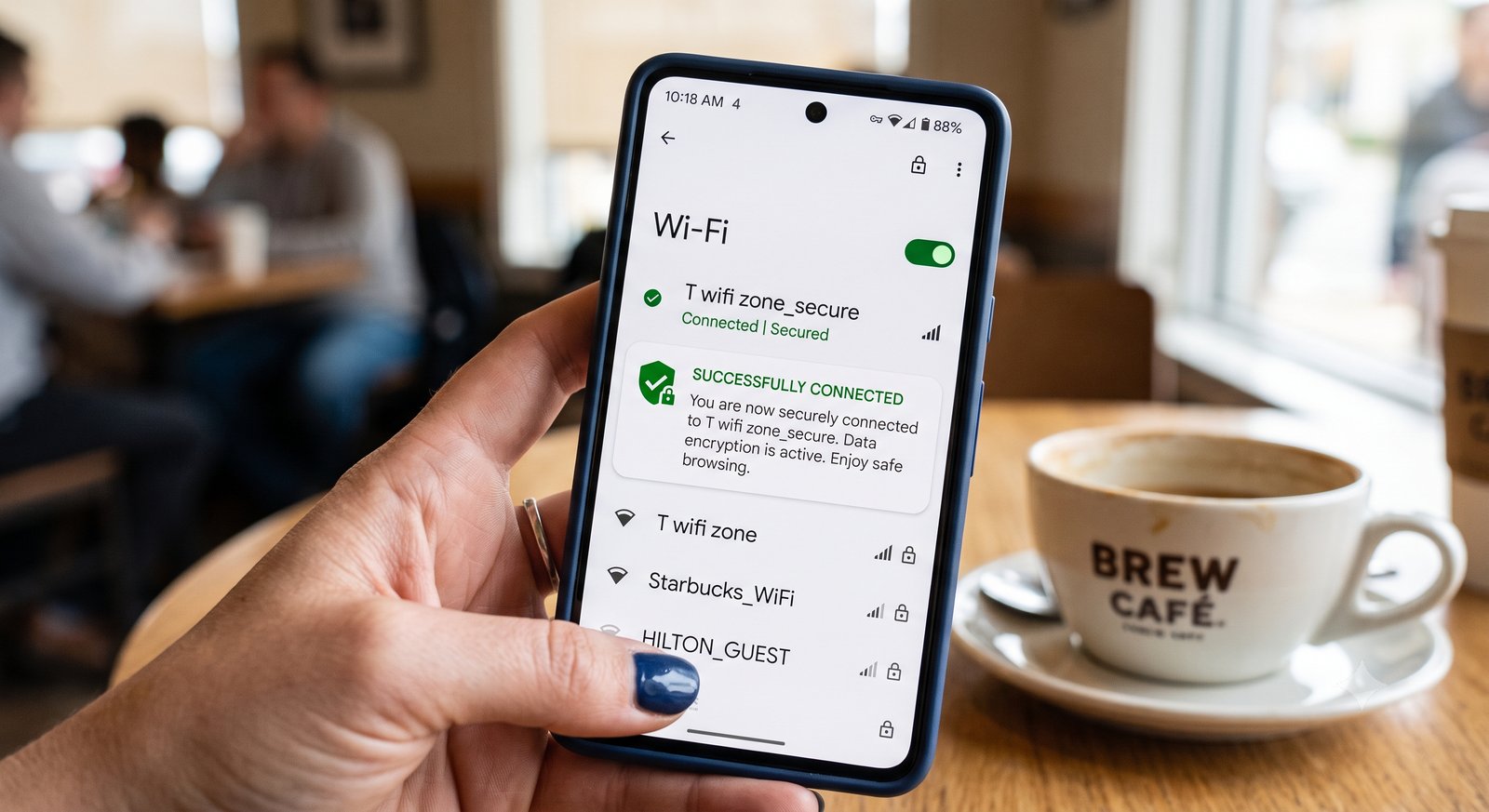
If the encrypted network is that strong, where is the residual risk? The fake one. Anyone can stand up an access point that broadcasts T wifi zone — the open network has no authentication to defeat, so cloning it is trivial, and your phone may join the strongest copy in the car without asking.
Cloning _secure is a different problem: that network and your USIM authenticate each other, and a stranger's access point has no way to hold up its end. The residual risk sits on the open twin, the one with nothing to prove.
Where a network authenticates with a username and password instead — most office WiFi — the phone is supposed to check the server's certificate, and many skip that check by default.
eaphammer (s0lst1c3): a public tool built specifically to stand up rogue enterprise access points and harvest credentials when clients fail to validate the server certificate.
That is the honest weak point, and it is exactly why the reader instinct that brought you here is the correct one.
What I actually changed
The small unease turned out to be pointing at something real, just aimed at the wrong target. So I changed three habits, and none of them cost me anything.
- I prefer the
_securenetwork and let the open one sit there unused. Same coverage on the train, and a key that is mine alone. - I treat any open carrier SSID, and any auto-join I did not expect, as hostile until proven otherwise. An unexpected
T wifi zonein an odd place is a reason to stop and look before connecting. - I turned off auto-join for open networks. That one setting is the whole ballgame — it stops my phone from silently walking onto an open, or cloned, network on my behalf.
Curiosity about who is on the network with you is the right question, and on a train it has a clean answer.
Next time your phone connects to something before you have touched it — do you know whether it chose the encrypted network or the open one right beside it?
References
- UC Berkeley CS161 — WPA2 and enterprise per-client keys
- 나무위키 — T 와이파이
- 서울특별시 — 공공와이파이 안내
- eaphammer — rogue enterprise access-point toolkit

 Instagram