




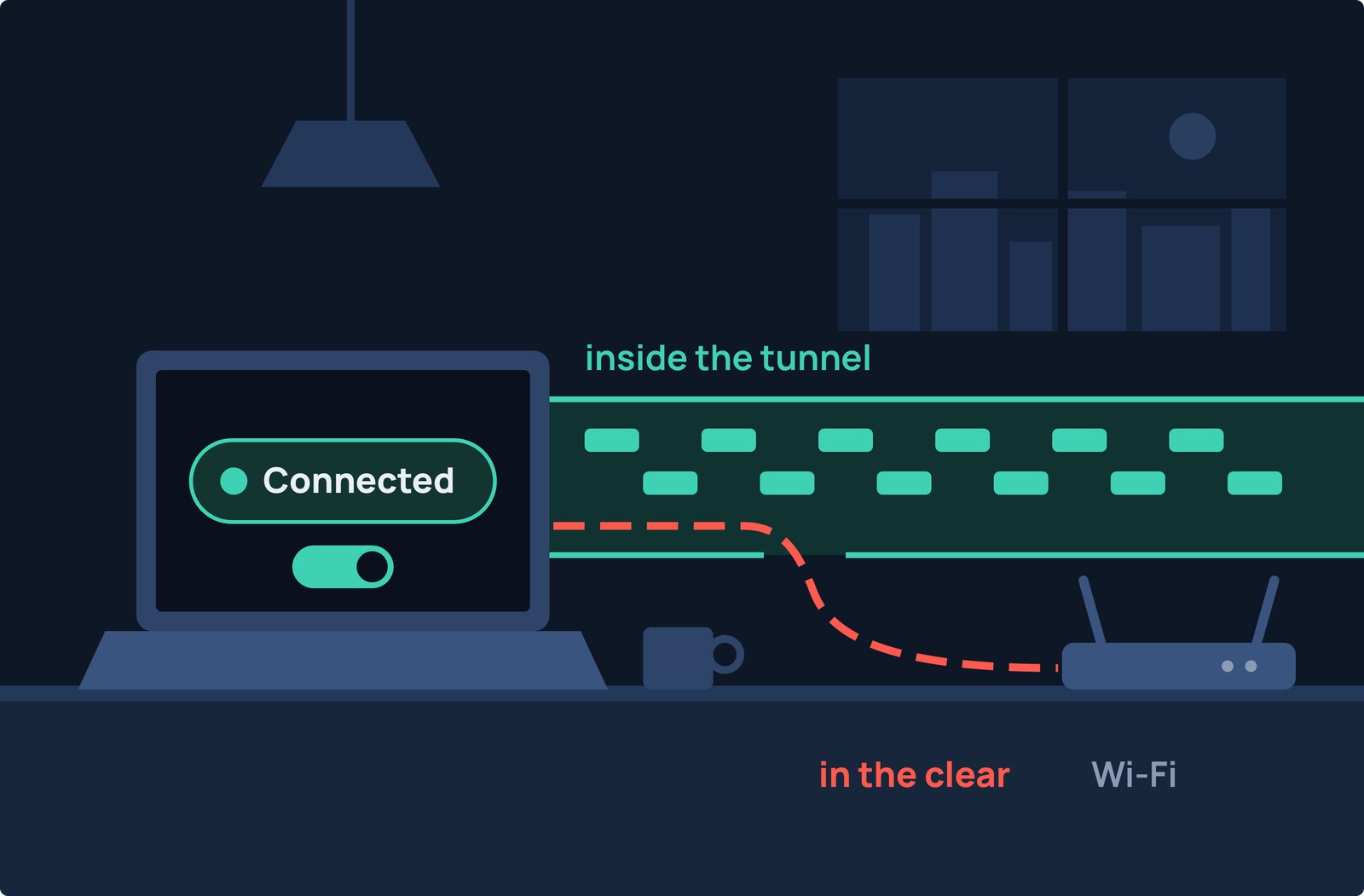
Your VPN app says Connected, but on an untrusted network, that status can be deceptive.
CVE-2024-3661 (Leviathan Security's "TunnelVision") allows network operators or rogue DHCP servers to inject custom routes into your network lease to divert unencrypted traffic over to the attacker-controlled device.
We reproduced this VPN traffic leak on a Linux machine. Below, we show which traffic leaks, why the attack stays undetected, and how to prevent it.
What is DHCP?
When your device joins a Wi-Fi network, it requests settings from a DHCP (Dynamic Host Configuration Protocol) server.
Typically, the server provides an IP address, default gateway, and DNS server.
Part of the DHCP protocol (RFC 3442), option 121 defines a static route option.
Option 121 pushes custom routes directly into your operating system's routing table.
Your DHCP client automatically applies these routes without verifying their source or checking network trust.
How the Attack Works
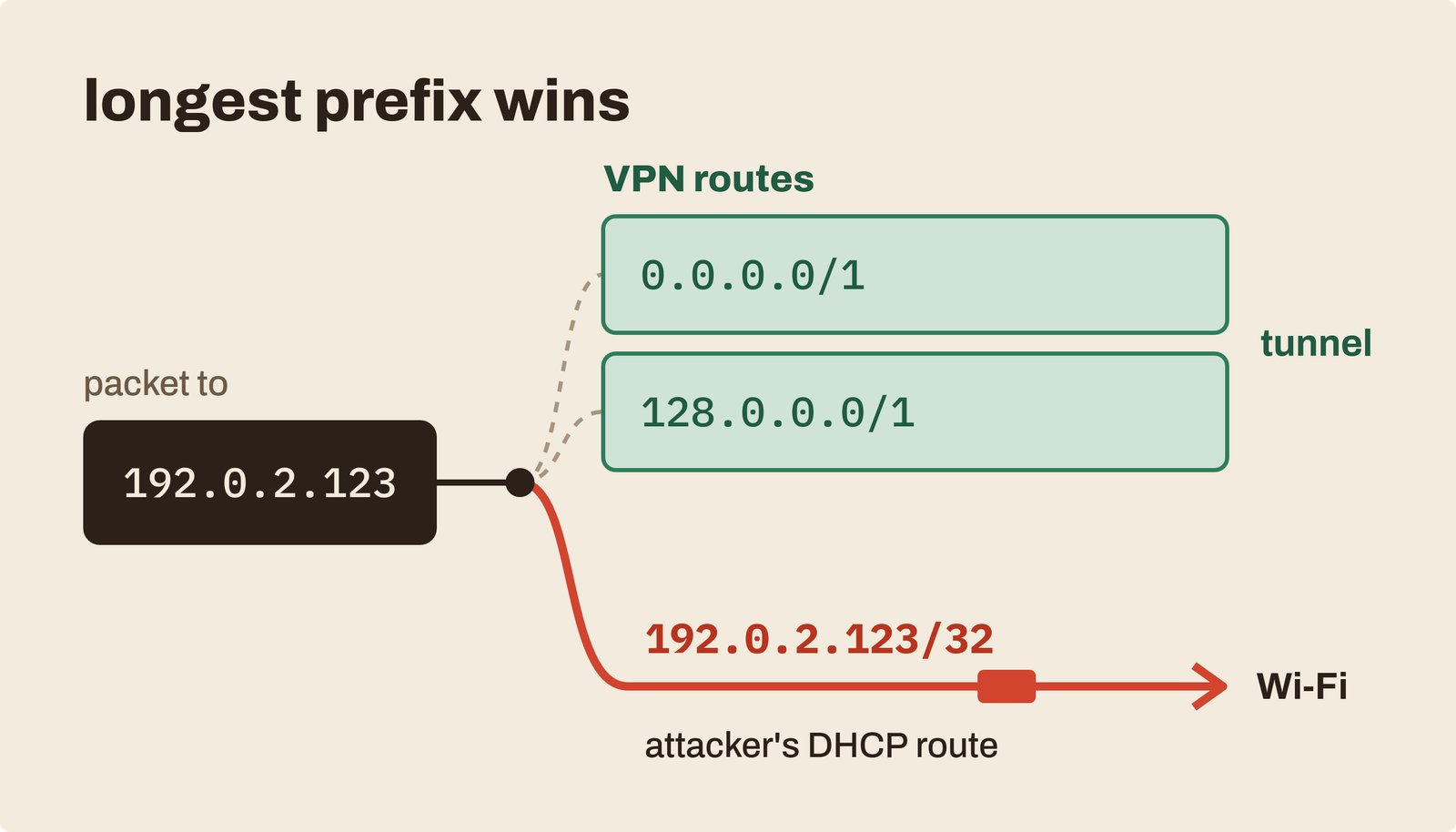
Full-tunnel VPNs route all traffic into the secure tunnel. Most
clients do this by creating two broad routes: 0.0.0.0/1 and
128.0.0.0/1.
Together, these IP ranges cover the entire internet and override standard default routes.
Routing decisions always favor the most specific match (the longest subnet
prefix). Because a /32 host route is more specific than a /1 prefix, anyone
controlling DHCP (a café router, an evil twin, or a rogue server) can issue an
Option 121 route targeting a specific IP address.
Traffic sent to that IP address bypasses encryption and leaves over the in plain text while the VPN app continues displaying Connected.
Disclosed by Leviathan Security on May 6, 2024 as CVE-2024-3661 (CVSS 7.6), this vulnerability affects Windows, macOS, iOS, and Linux.
Android is unaffected because its network stack does not support DHCP Option 121.
Reproducing CVE-2024-3661 on a Single Machine
We reproduced the full attack on one Linux machine using two network namespaces
connected by a virtual ethernet (veth) pair:
- Attacker (
lan): Runs adnsmasqDHCP server configured with Option 121. - Victim (
client): Runs a standarddhcpcdclient that accepts the lease before WireGuard establishes a full tunnel.
The rogue server offers a /32 route targeting a sensitive destination
(192.0.2.123, a TEST-NET address) through itself:
--dhcp-option=121,192.0.2.123/32,10.55.0.1
The unmodified client automatically installs the route:
vcli: adding host route to 192.0.2.123 via 10.55.0.1
After WireGuard initialized its full tunnel, we queried the kernel's routing destination for two addresses:
$ ip route get 192.0.2.123
192.0.2.123 via 10.55.0.1 dev vcli src 10.55.0.115

$ ip route get 9.9.9.9
9.9.9.9 dev wg0 src 10.99.0.2
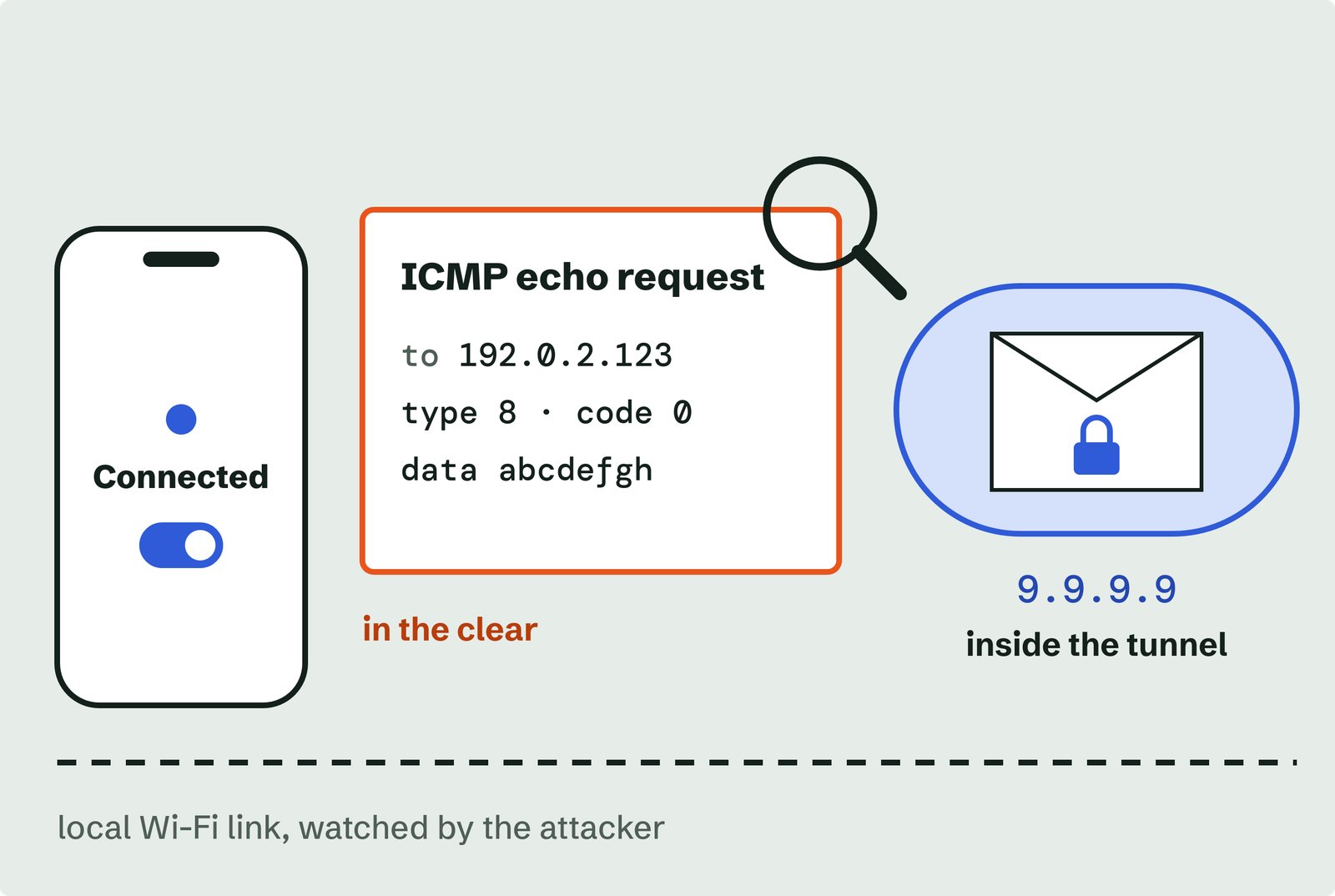
The first packet exits over vcli (the physical link). The second packet,
directed to an address the attacker did not target, routes normally through
wg0 (the VPN tunnel).
Selective routing means untargeted traffic operates normally, hence making the attack harder to detect.
Running tcpdump on the attacker's interface captured the unencrypted probe:
IP 10.55.0.115 > 192.0.2.123: ICMP echo request
Available Protections
- Enforce VPN firewall rules on physical interfaces. Mullvad's desktop apps block all non-tunnel traffic to public IPs, preventing plain-text leaks. However, as Leviathan notes, attackers can still drop specific packets to analyze traffic flow, leaving side-channel and selective denial-of-service risks.
- Isolate the VPN inside a Linux network namespace. Running the tunnel in its own namespace isolates it from physical links, leaving no interface for Option 121 routes to hijack. This is the most effective fix for Linux systems.
- Enable DHCP snooping on managed networks. Enterprise and branch LANs are highly exposed to rogue DHCP servers. Enabling DHCP snooping on managed switches drops unauthorized DHCP offers, blocking rogue servers from pushing Option 121 routes.
- Use policy-based IPsec VPNs for sensitive routes. Policy-based VPNs encrypt traffic matching specified rules regardless of local routing table changes, preventing DHCP-injected routes from redirecting packets.
- Exercise caution on iOS. iOS lacks third-party firewall tools. Apple's
includeAllNetworksflag mitigates the flaw, but it introduces severe side effects, breaking tunnel health checks and deadlocking App Store updates.
References
- Leviathan Security Group — TunnelVision (CVE-2024-3661): How Attackers Can Decloak Routing-Based VPNs (6 May 2024)
- IETF — RFC 3442: The Classless Static Route Option for DHCPv4 (December 2002)
- Mullvad — Evaluating the impact of TunnelVision (7 May 2024)
- Mullvad — Why we still don't use includeAllNetworks (26 March 2025)
- Red Hat — RHSA-2025:0288: NetworkManager security update (13 January 2025)
- Fortinet PSIRT — FG-IR-24-170: TunnelVision

 Instagram