




Korea's Internet Security Agency (KISA) advises anyone installing an IP camera to turn UPnP off.
But what is UPnP? Why is it dangerous?
In this post, we will quickly explore the Network Address Translation (NAT) and Universal Plug and Play (UPnP) protocols and show you what you must know and do in order to stay secure behind a NAT gateway.
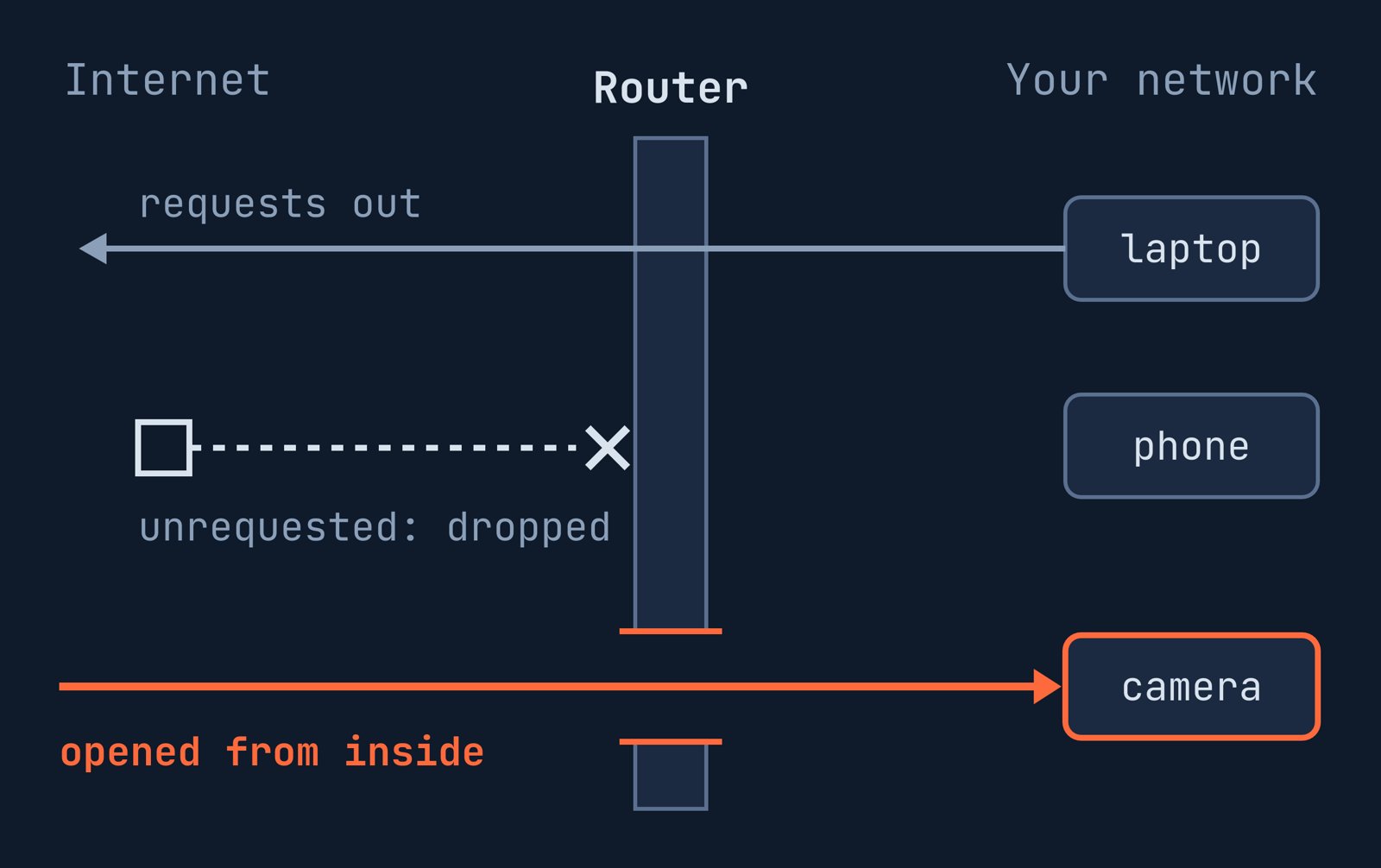
What NAT does
Network Address Translation (NAT) is the mechanism used by routers to allow multiple devices in the same LAN: your laptop, phone, IP camera, etc to share a single public IPv4 address.
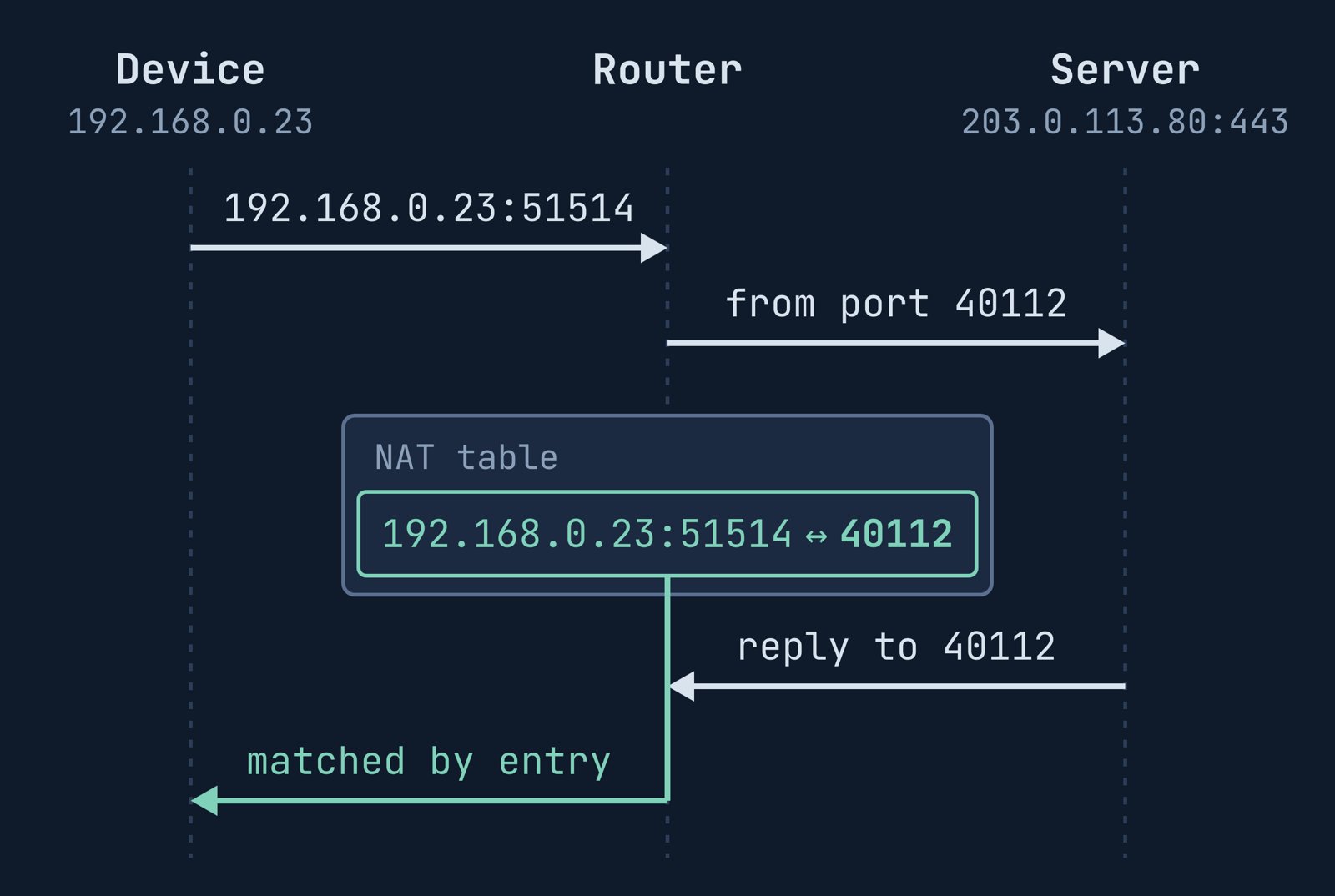
When an internal device sends an outbound request, the router logs an entry in its NAT table. This entry pairs the device's internal IP address and port with an external port:
inside 192.168.0.23:51514 <-> outside :40112 -> 203.0.113.80:443
When the response comes from the server to port 40112, the router is then able to forward it to the requesting device.
Why the internet cannot reach you
People usually have a sense of safety when behind a NAT layer. And it is partially justified: connections are usually outbound. When an inbound packet comes to your router's public address that doesn't match a NAT rule, it is discarded.
Because IPv6 typically runs without NAT, the NAT table table only "protects" IPv4 traffic.
For IPv6-related information, see our related post: IPv6 firewalls.
Port forwarding and UPnP add entries
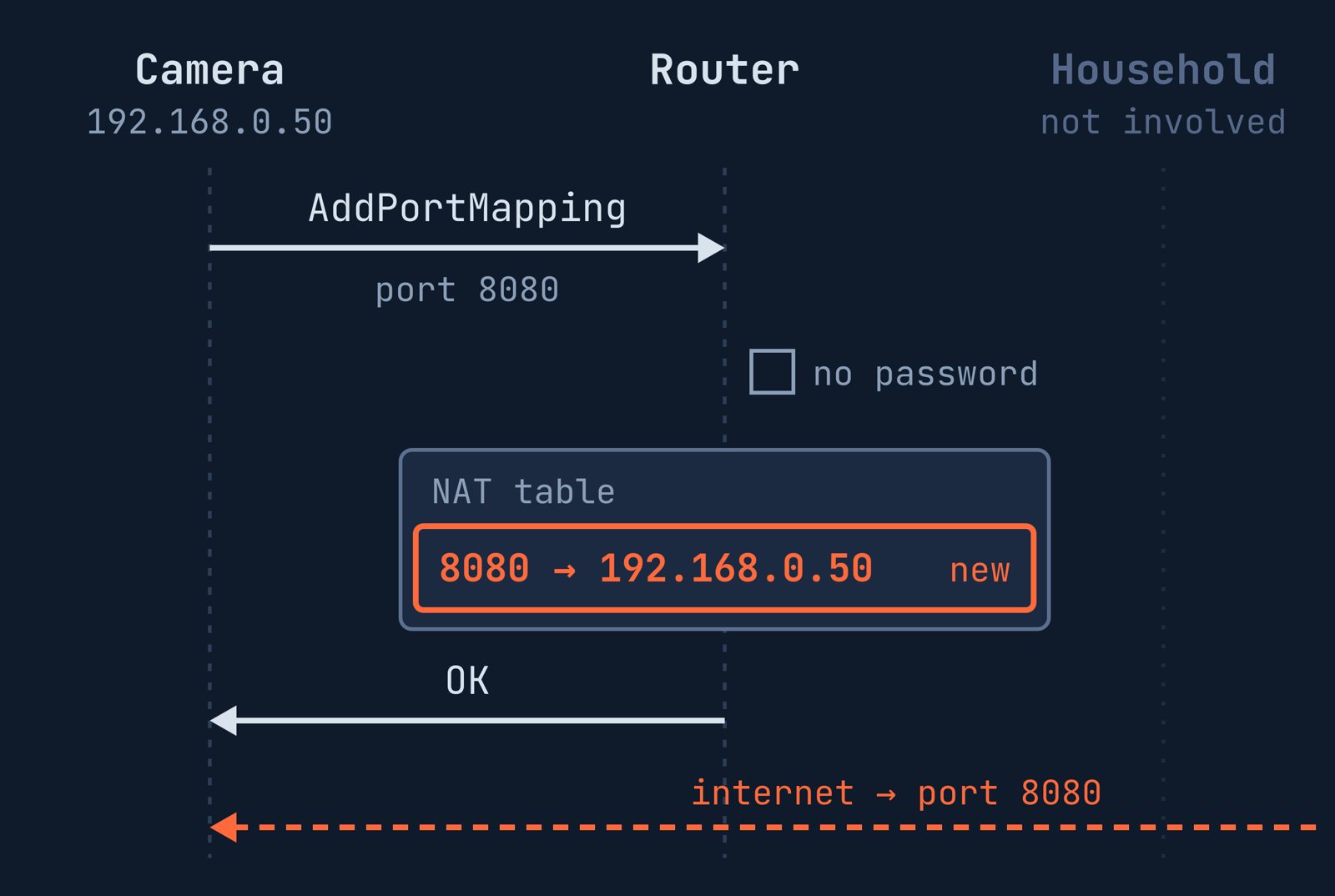
Port forwarding is a rule mapping a router port (e.g. 8080) to an private IP address, for instance an IP camera at 192.168.0.50.
Universal Plug and Play (UPnP) automates this process. The camera sends an
AddPortMapping request, and the router creates the rule itself:
AddPortMapping
  NewExternalPort    8080
  NewProtocol        TCP
  NewInternalPort    8080
  NewInternalClient  192.168.0.50
The original 2001 UPnP standard required no password in its original
specification
for the AddPortMapping request.
The 2010 revision recommends authentication only when a device opens a port on behalf of another device. However, router support remains optional for this feature.
NAT Pitfall 1: door opened from inside
Any device on your network: an IP camera, NAS, gaming console, or malware on a laptop, can issue a UPnP request without user confirmation.
Page 8 of KISA's IP camera security guide (published April 2, 2026) warns:
KISA (our translation): "UPnP is a function that lets devices inside the network open ports automatically. Hackers can exploit it, so be sure to disable it."
NAT Pitfall 2: door opened from outside
The 2010 UPnP specification explicitly restricts requests to the local network:
"IGD MUST reject UPnP requests from the WAN interfaces."
Yet some routers answer WAN (Wide Area Network) requests anyway.
In April 2018,
Akamai
found over 4.8 million devices responding to public UPnP discovery
requests. Roughly 765,000 of them also exposed the service handling
AddPortMapping.
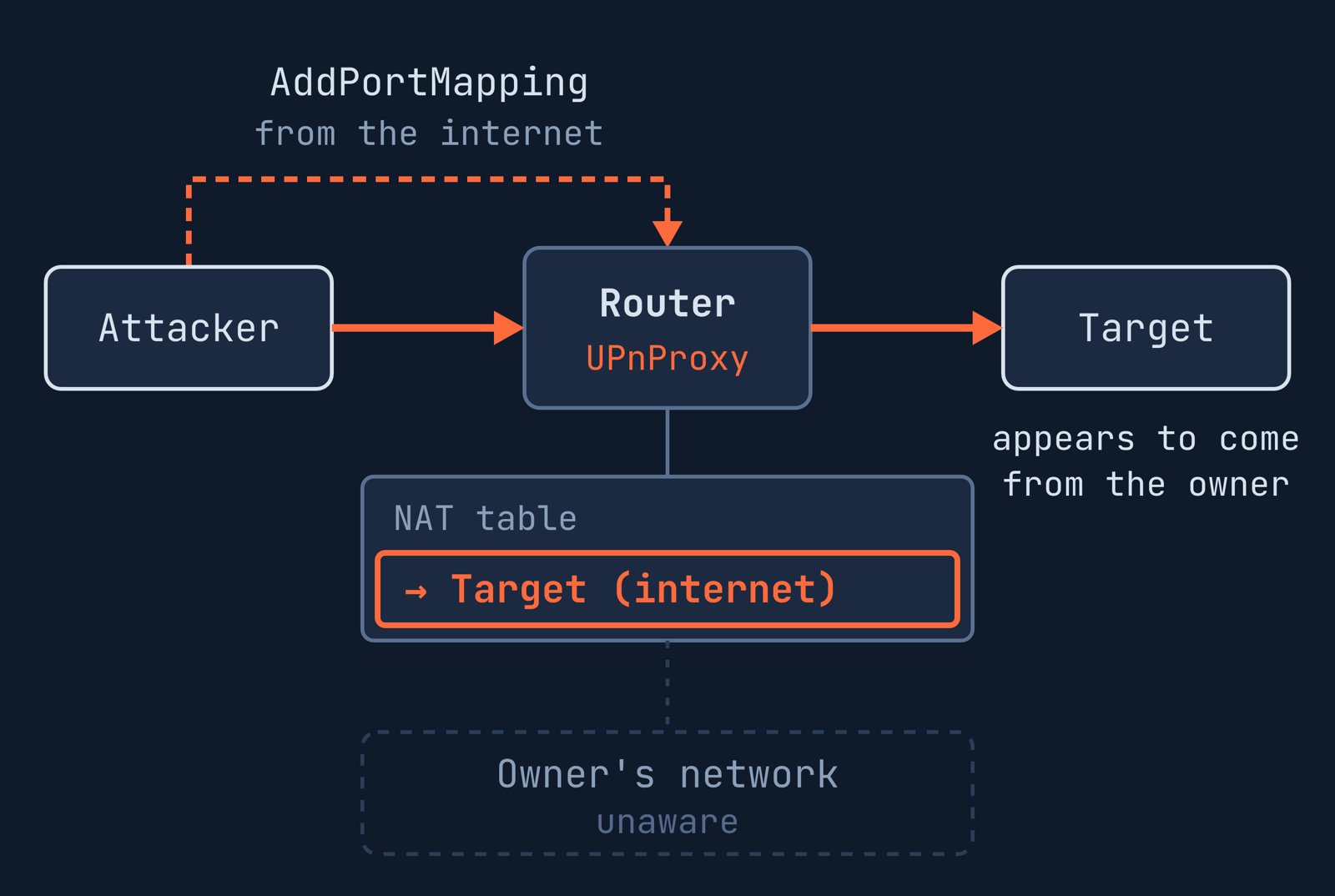
Attackers had injected NAT entries into more than 65,000 routers.
These entries pointed to external targets, forcing routers to relay traffic, acting as proxies.
Akamai's list of affected models included routers from ipTIME, a widely used Korean brand, which exposed UPnP on the WAN interface in 2018.
Protective Measures
- Turn off UPnP. For instance, in ipTIME firmware, disable it under 고급설정 (Advanced settings) → 시스템관리 (System management) → 기타설정 (Other settings) → UPNP설정 (UPnP settings).
- Audit your router's UPnP list. Delete unrecognized entries.
- Replace routers exposed to the WAN. If you have a device that still accepts UPnP requests from the internet, it might be time to replace it.
- Use a VPN for remote access. Instead of UPnP, use a VPN to access internal devices securely.
Have you ever checked your router's UPnP table to see what is open?
References
- KISA (보호나라, KISA's security portal) — IP카메라 설치·운영 보안 가이드 (IP camera installation and operation security guide) (posted 2 April 2026)
- UPnP Forum — WANIPConnection:1 Service (12 November 2001)
- UPnP Forum — WANIPConnection:2 Service (10 September 2010)
- Akamai — UPnProxy: Blackhat Proxies via NAT Injections (April 2018, archived)
- IETF — RFC 6092: Recommended Simple Security Capabilities in Customer Premises Equipment (CPE) for Providing Residential IPv6 Internet Service (January 2011)

 Instagram