




You photographed a used desk to sell on a marketplace. The buyer wanted a clearer shot, so you sent the original file. That file can carry your precise location — the corner of your living room where you stood. Did you really mean to tell that buyer where you live? Here's the fastest way to check before you send, so you never find out the hard way.

What rides along inside the file
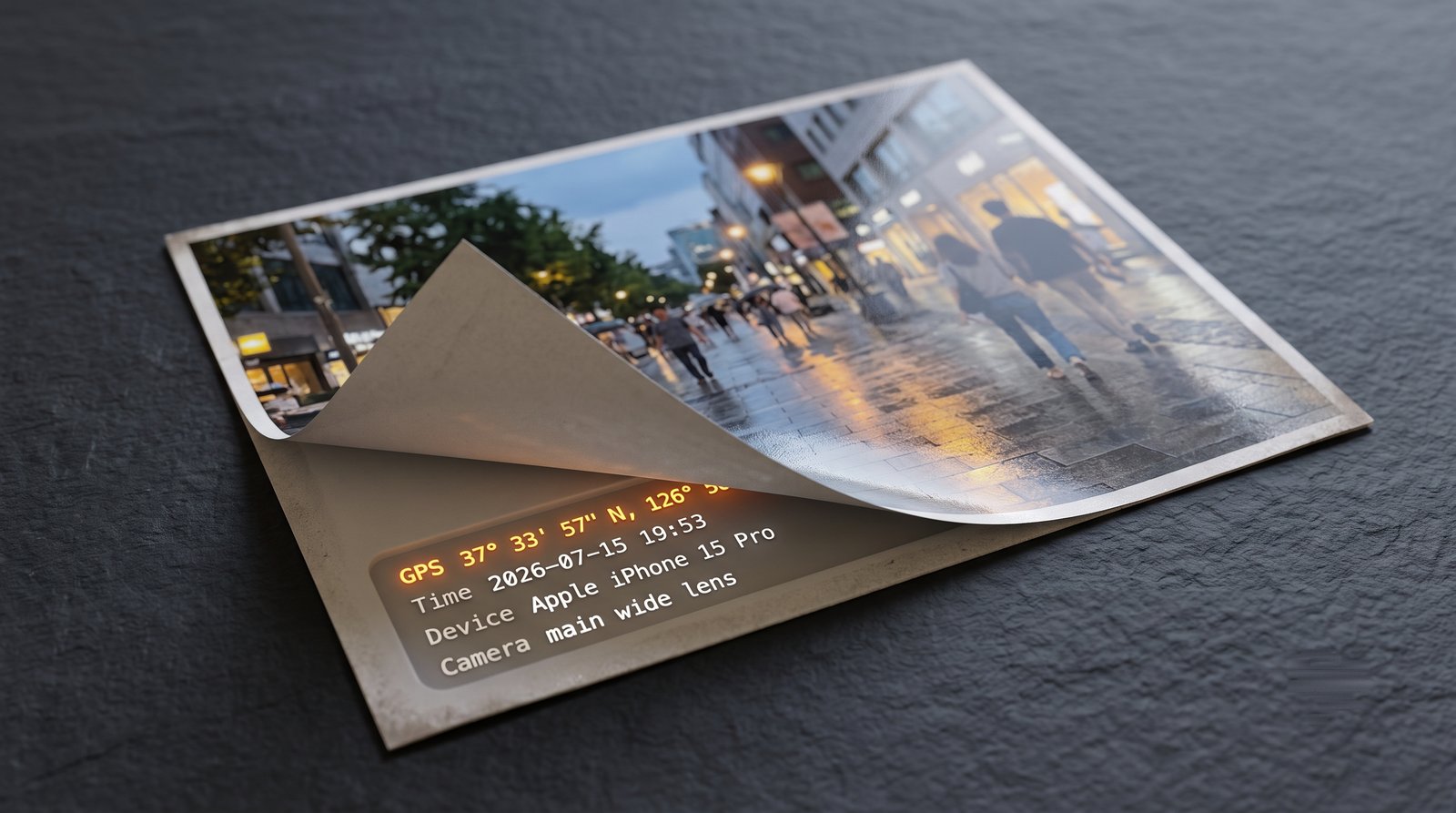
Every photo your phone takes carries an invisible passenger. Alongside the pixels, the camera writes a block of metadata called EXIF: the GPS latitude and longitude where you stood, the exact second the shutter fired, and the make and model of the device. You never see it, but it always travels with the file.
Here is what that block looks like inside an ordinary phone photo:
GPSLatitude      : 37 deg 33' 57" N
GPSLongitude     : 126 deg 58' 40" E
DateTimeOriginal : 2026:07:15 19:53:06
Make / Model     : Apple / iPhone 15 Pro
Those first two lines are more precise than a street address. Paste them into any map and they land on the doorstep where the photo was taken.
In 2012 the FBI identified an Anonymous-linked hacker, Higinio Ochoa, from the GPS tags in a photo he had posted online. The coordinates led agents to his girlfriend's home, and he was arrested weeks later, per eSecurity Planet. The picture did the work a subpoena usually does.
"But I turned off location services"
Turning off location for the camera helps, with one catch: it only changes the photos you take from now on. Every picture already sitting in your library keeps the GPS tags it was born with. Apple says as much in its own personal-safety guide — the existing metadata has to be removed separately.
Whether a photo leaks also depends on how you send it, and the rule is not intuitive. Post a picture to an Instagram, Facebook, or X feed and the platform re-compresses it, stripping the EXIF from what other users can download — the Library of Congress documented this years ago.
Send the original file directly, though — as a document, an email attachment, or a raw upload — and every field above arrives intact. If you're not sure the app you are using strips the metadata, assume that it doesn't.
See it for yourself
You do not have to take our word for it. The Panke Image Metadata Inspector reads a photo's hidden fields right in your browser. Drop any picture in and it shows a red or green verdict, lists the GPS coordinates and camera details, and drops a pin on a live map so you can see exactly where the file says you were.
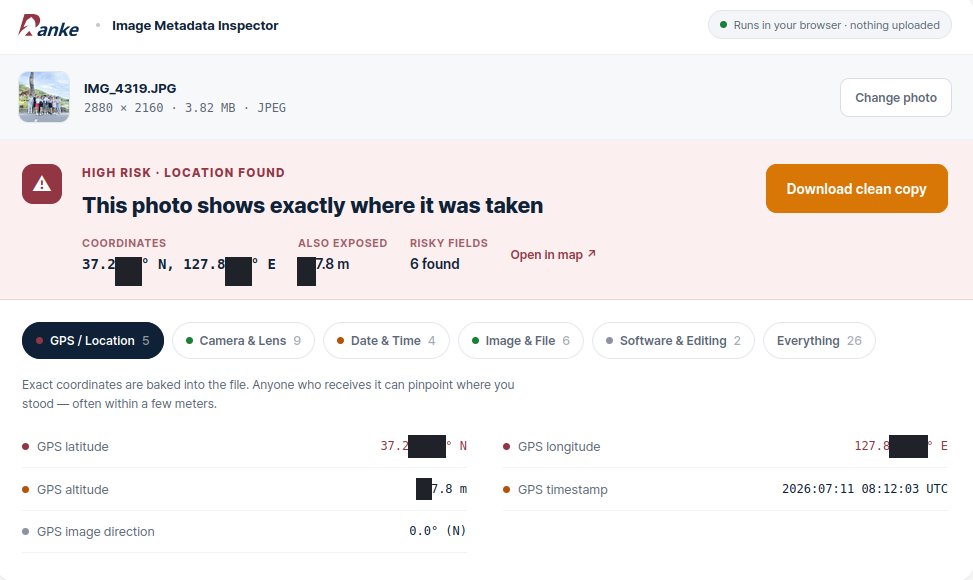
You don't have to use Panke's tool, but make sure the tool you are using doesn't upload anything to a server. Ours never transmits the file.
Clean it, then post it
Here are some ways to protect yourself.
- Download a clean copy. The Metadata Inspector tool hands you a clean version of the picture, ready to send in place of the file your camera wrote.
- Turn off camera geotagging. On iPhone: Settings → Privacy & Security → Location Services → Camera → Never. New photos stop recording GPS at the source.
- Another quick fix: a screenshot. A screenshot is a fresh file the phone draws, so it carries none of the original's location or device tags.
- Sanity-check anything headed to a stranger. Photos of your home, items you sell, or a picture going to someone you just met online all deserve a look before the original leaves your phone.
Have you ever sent a photo straight from your camera roll to someone you just met online — a buyer, a new match?
Check a photo here: Panke Image Metadata Inspector.
References
- eSecurity Planet — "FBI Used Metadata to Catch CabinCr3w Hacker" (Higinio Ochoa, arrested 2012-03-20): https://www.esecurityplanet.com/threats/fbi-used-metadata-to-catch-cabincr3w-hacker/
- Apple — "Manage location metadata in Photos" (Personal Safety User Guide): https://support.apple.com/guide/personal-safety/manage-location-metadata-in-photos-ips0d7a5df82/web
- Library of Congress, The Signal — "Social Media Networks Stripping Data from Your Digital Photos": https://blogs.loc.gov/thesignal/2013/04/social-media-networks-stripping-data-from-your-digital-photos/

 Instagram