




You committed an API key by mistake, caught it within the hour, deleted it in the next commit, and moved on. I have seen people do this more times than I can count. But the key is still there. All you did is stack more changes on top of a tree that still has your secret. Git stacked it on top. Here is why deleting a leaked secret does not help, and the two actions that actually do.
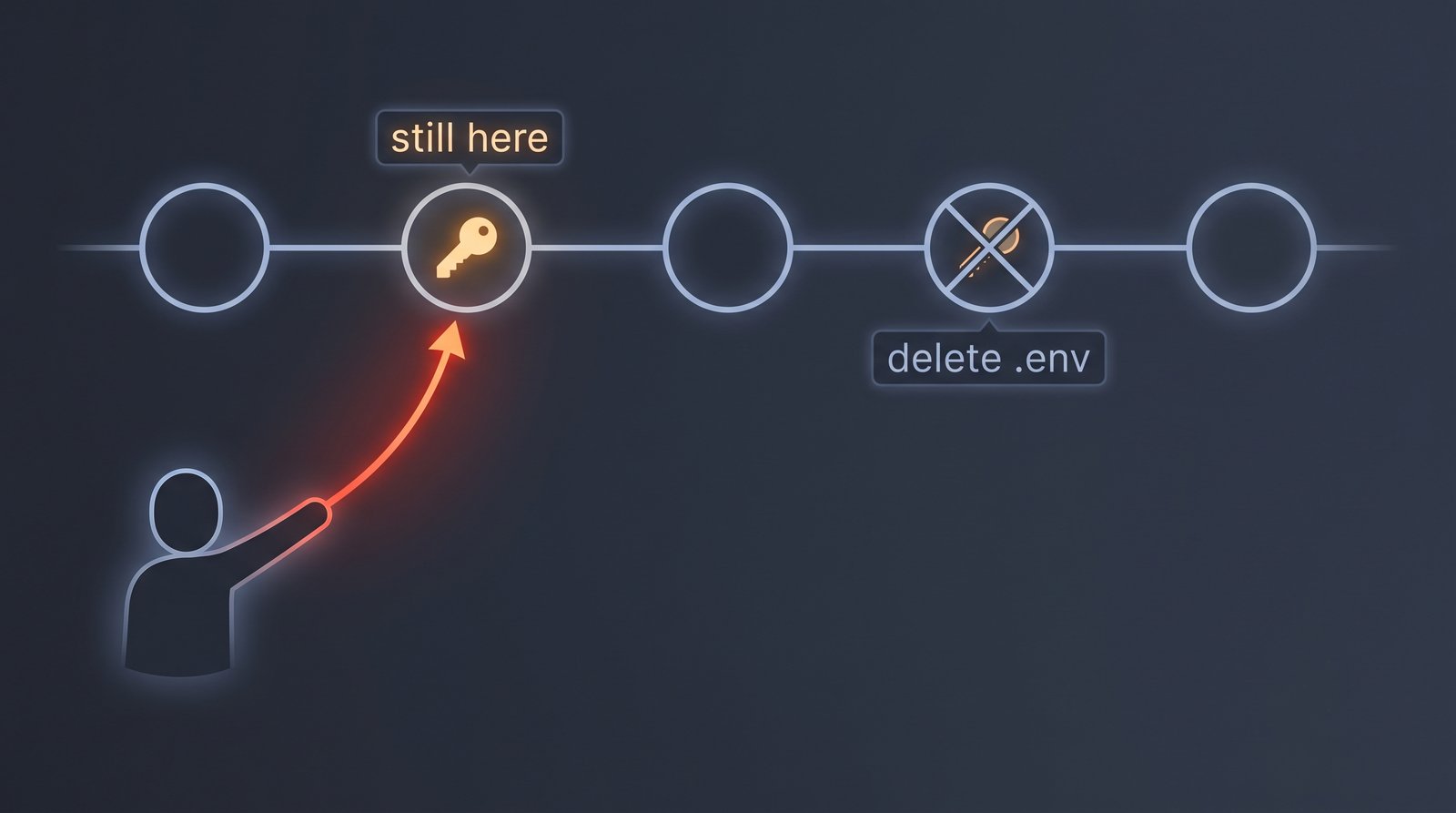
Git keeps everything
Git stores your project as a chain of snapshots. A new commit leaves every earlier commit untouched.
The snapshot that holds the secret is back in the chain, reachable by anyone with access to the repo. That's the whole point of version control — it lets you return to any past state.
An attacker reads all the history
Here are examples of how your git history reaches an "outsider".
The first is a public repository, which automated scanners crawl around the clock.
GitGuardian, State of Secrets Sprawl 2026: 28.65 million new hardcoded secrets appeared in public commits in 2025 — a 34% jump in a single year.
A freshly pushed credential is often found within minutes.
The second is much more stealthy. If you deploy a website by copying your project folder onto the server, it's possible that the .git directory comes with it.
A tool such as git-dumper can easily reconstruct your full source tree.
In both cases, the point is clear: the attacker can walk the tree back and read the secret you believed had been erased.
Deleting doesn't help

Even if you try to rewrite git history in the proper way — git filter-repo or BFG strip the file from every commit — the secret is still not safe.
From the very second it was pushed it may have been cloned, forked, cached by a crawler, or copied by a scanner.
Rotate the secret
Treat any secret that has reached a shared repository as burned. Make it your policy to revoke it and rotate it. Rotate the key, invalidate the token, reset the password. That is the only thing that will actually close that open door for the attacker.
Quick check on your website
If you serve a website on the public internet, it's worth a quick check: GET /.git/config. This simple check may save you many hours of pain in the future.
If this returns 200 you are in a bad spot and I would act quickly and trigger urgent incident response following your organization's secret leakage playbook. That usually involves:
- Evidence collection — immediately snapshot the server's memory and data to safe storage.
- Containment — stop serving the folder.
- Recovery — rotate all secrets in there, assume everything was leaked.
- Root cause analysis — check for lateral movement, and how it happened.
- Lessons learned — talk with your team and implement policies and procedures to prevent this from happening again.
If you don't have an incident response playbook, you should make creating one a priority. When the day comes, the worst thing you can do is spend all your time thinking about what you should do instead of just following an established process.
Continuous monitoring
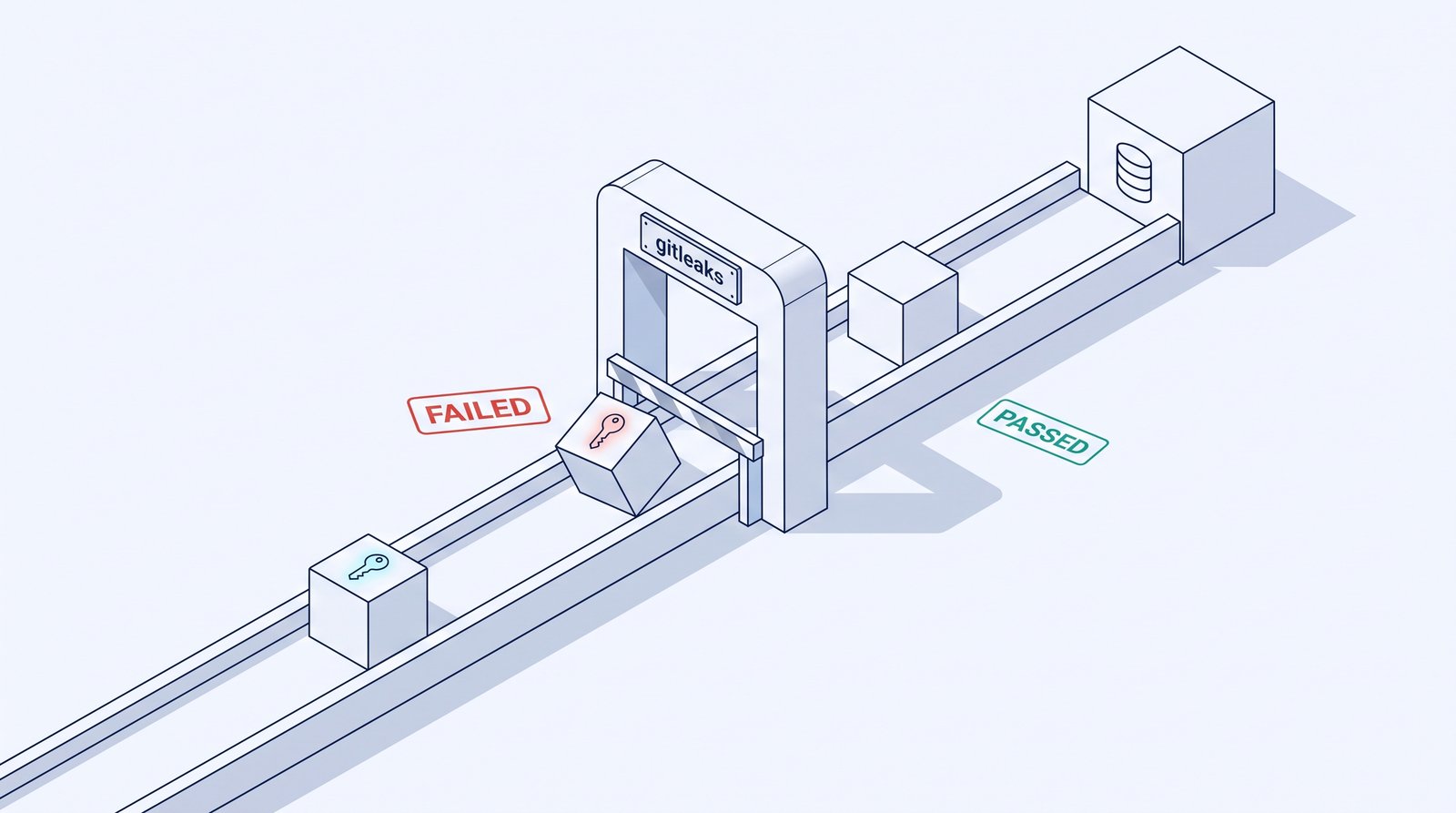
The attacker's one advantage is speed, so scan before they do. gitleaks reads a repository's history and its diffs for anything shaped like a credential.
Run it as:
- A pre-commit hook — the secret is stopped on the developer's laptop.
- A CI/CD gate — on every push and pull request. This will catch any secrets that slipped through to the git remote.
- A cron job — run it periodically across all your repos (public repos are a priority).
By implementing this as a process, you will have a higher chance of avoiding a leak.
Many of the exposed secrets we find on an assessment were "removed" long ago — deleted in a commit and trusted to be gone.
When was the last time you scanned your repos for leaked secrets?
Partner with Panke to improve your Cyber posture
References
- The State of Secrets Sprawl 2026 — GitGuardian
- git-dumper: dump a git repository from a website — arthaud
- Gitleaks: find secrets with Gitleaks — Gitleaks
- Removing sensitive data from a repository — GitHub Docs

 Instagram