




Have you ever wondered how the system clock is kept in sync even after restarting your computer? The answer is NTP, the Network Time Protocol.
The problem with NTP is that by default, it provides no authentication mechanism. That means the computer has no way to verify that the time they got is from a legitimate Time Server.
Below, we explore what attackers can do with a compromised clock, how time clients attempt to defend against it, and the critical security gaps that remain.
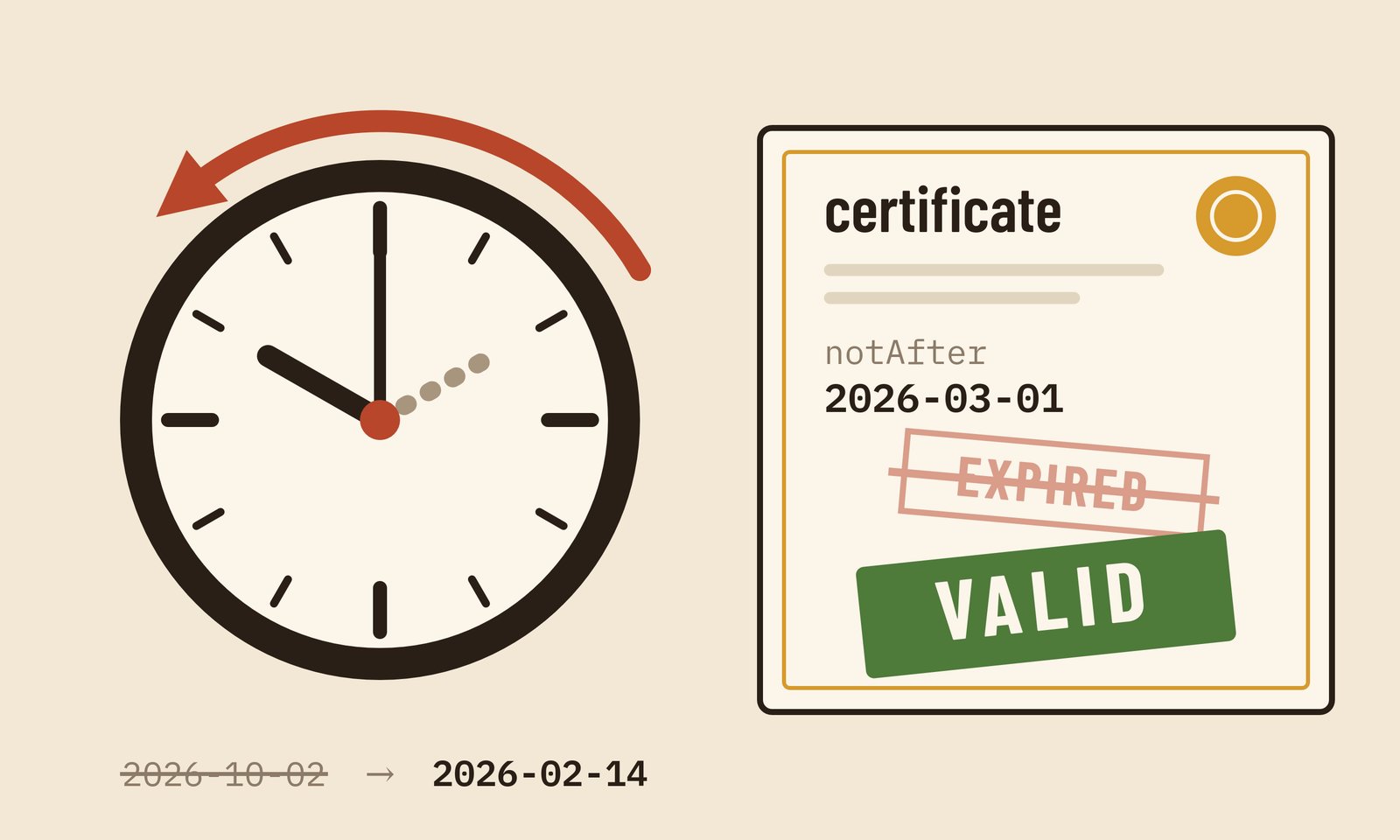
Everything Depends on the Clock
Here are some examples of fundamental technologies that rely on the system clock being accurate:
- TLS certificates remain valid only between their
notBeforeandnotAfterdates. - DNSSEC signatures (RRSIG records) specify explicit inception and expiration timestamps.
- TOTP codes: the six-digit tokens generated by authenticator apps.
- Kerberos tickets and signed API requests are accepted only within tight, multi-minute validity windows.
NTP is Unprotected
Standard NTP uses unauthenticated UDP on port 123, leaving clients with no way to distinguish legitimate responses from forged ones.
Unlike NTP reflection DDoS attacks, which target network bandwidth, this vector directly targets the client's internal clock.
An attacker can alter a system's time using three main techniques:
- On-path attackers intercept and rewrite NTP responses in transit.
- DNS-poisoning attackers redirect
pool.ntp.orgqueries during boot to malicious servers. Jeitner, Shulman and Waidner (DSN 2020) demonstrated that "all NTP implementations are vulnerable to a boot-time-attack." - Rogue NTP Pool servers send invalid timestamps directly. Perry, Rozen-Schiff and Schapira (NDSS 2021) proved that malicious pool operators can shift client clocks at scale.
Additionally, Malhotra et al. (NDSS 2016) demonstrated an off-path attack leveraging IP fragmentation. While that technique presents a "small but non-negligible" attack surface, the three methods above require no complex packet manipulation.
Time Travelling
Rolling a client's clock backward revives expired certificates. If an attacker possesses a leaked private key from an expired certificate, they can impersonate the target site without triggering expiration warnings.
The 2016 NDSS study notes that client clocks could be rolled back to mid-2014, a period "when > 100K certificates were revoked due to heartbleed." Under a rolled-back clock, stale OCSP responses claiming "good" status are accepted once again.
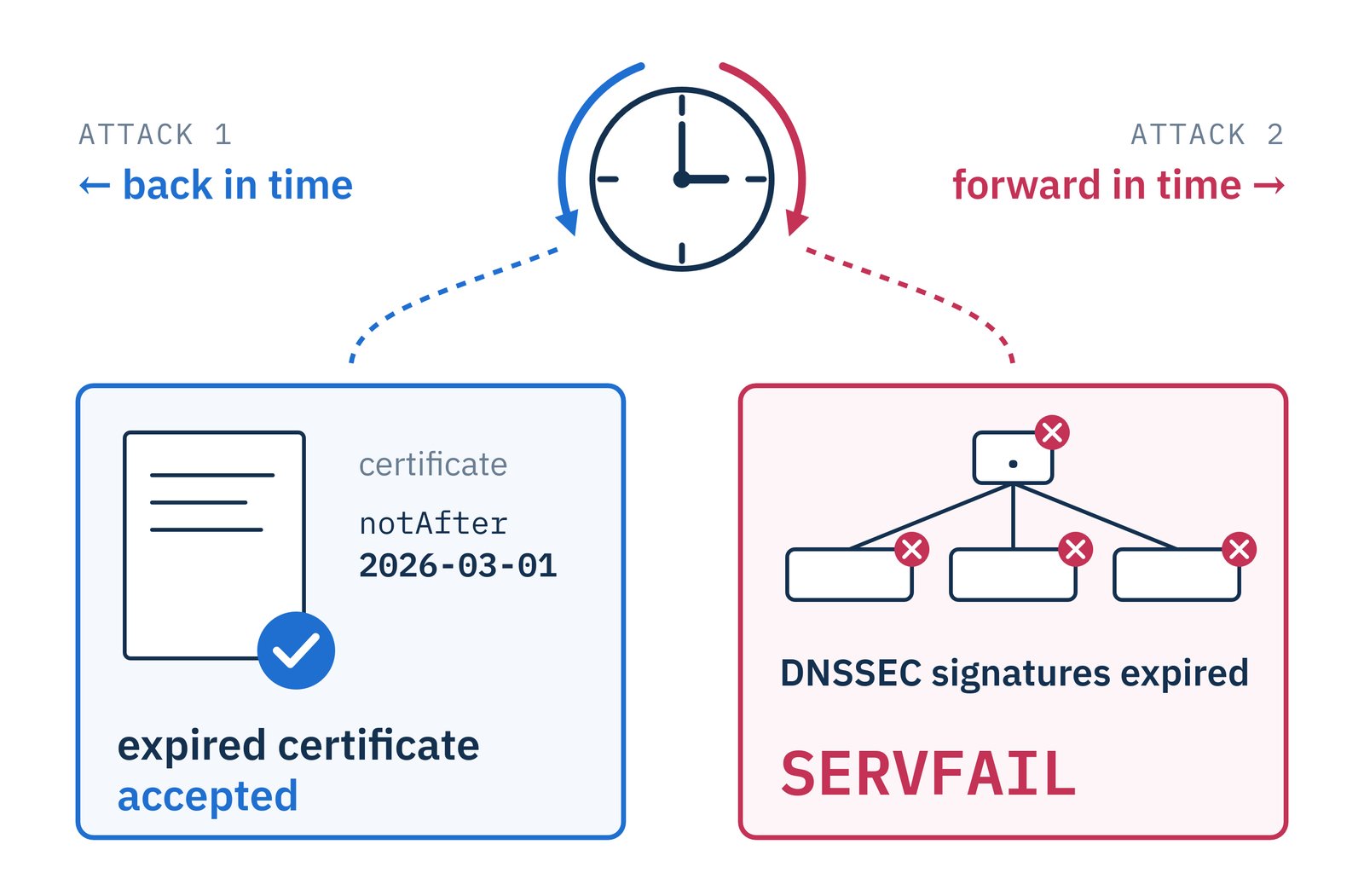
Conversely, shifting a validating DNS resolver's clock forward invalidates every
active DNSSEC signature. As a result, the resolver rejects signed queries and
returns SERVFAIL for all signed domains.
In South Korea, APNIC Labs reports that 3.15% of Internet users rely on validating resolvers (as detailed in our DNSSEC post). For these users, a forward time shift renders every signed domain entirely unreachable.
Existing Protections and Real Risks
Standard NTP clients implement safety limits to mitigate rogue time updates:
- The ntpd documentation defines a 1,000-second panic threshold;
ntpdimmediately terminates if an offset exceeds this limit. For smaller offsets, it ignores sudden jumps unless the offset persists for 300 seconds. Malhotra et al. calculated that shifting a clock backward by one year under these constraints would take at least 114 days. - Debian, Ubuntu, and Fedora configure
chronywithmakestep 1 3, allowing large clock adjustments only during its first three updates. - Windows Time Service rejects corrections exceeding 15 hours on standalone systems and 48 hours on domain controllers.
- Google Chrome validates certificate validity against Google's network time servers rather than trusting the host OS unconditionally.
Despite these safeguards, significant security gaps persist, particularly during system boot:
- In Windows AD, a compromised domain controller affects every domain-joined machine by default.
- Chrome falls back to the local system clock.
- systemd-timesyncd lacks a panic threshold entirely. It applies any offset received from its single configured server.
- chrony permits unrestricted steps during its first three boot updates. This boot window allows DNS-poisoning attacks to succeed before rate limits engage.
- ntpd configured with
-gallows an initial correction of unlimited size. Malhotra et al. verified thatntpd -gaccepts "a single step 10 years back in time, and forward in time, upon reboot." The paper also notes that "many OSes, including Linux, do run ntpd with -g by default."
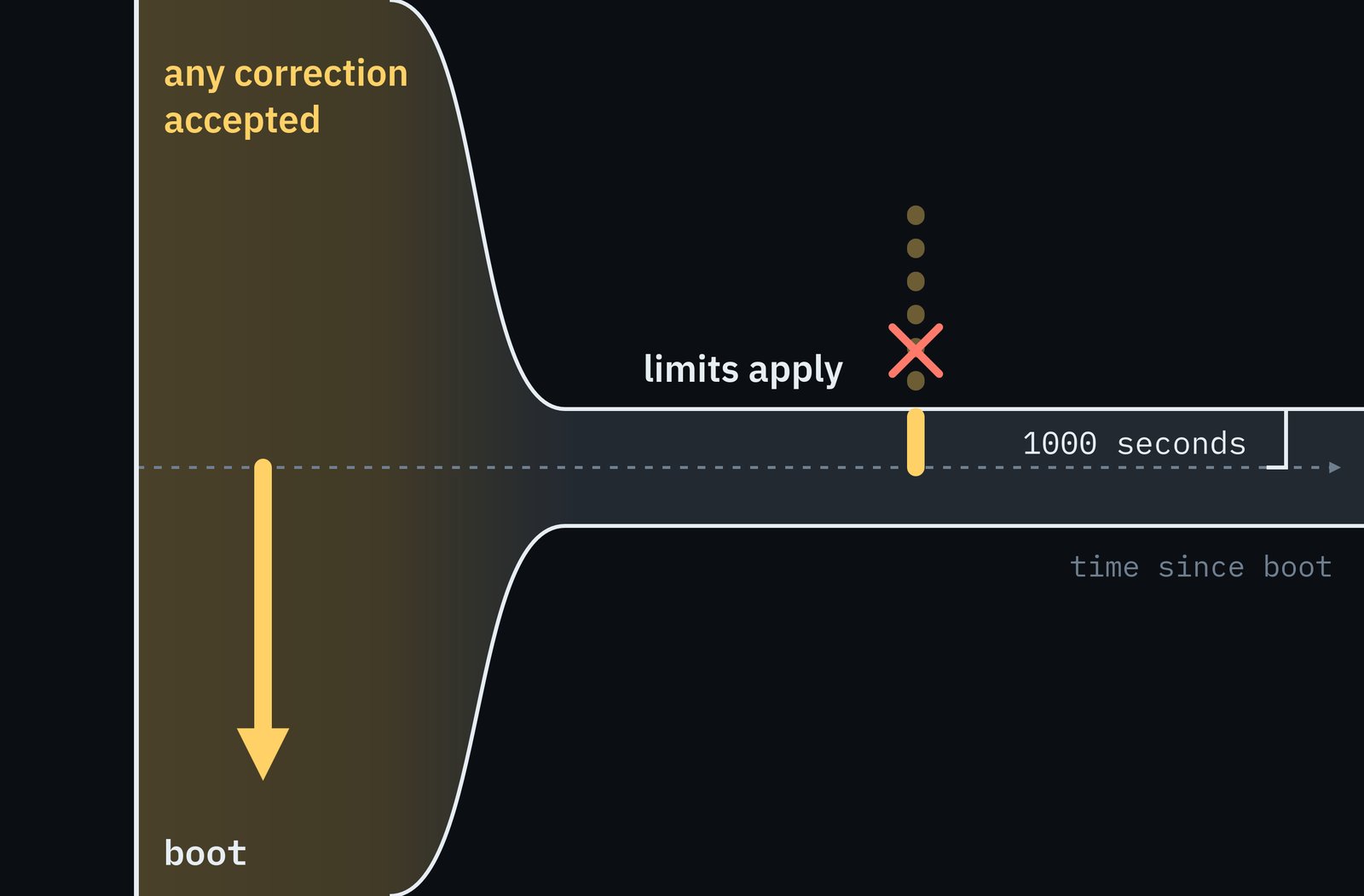
While shorter certificate validity periods reduce the exposure window for compromised keys, a vulnerable system clock is a counterweight: the shorter the validity of a certificate, the easier it is to time-attack it.
Authenticate Your Time
Network Time Security (NTS), specified in RFC 8915 (September 2020), brings cryptographically authenticated time synchronization to NTP.
NTS clients perform a TLS 1.3 key exchange over TCP port 4460 to negotiate keys and validate authentication tags attached to every subsequent NTP packet.
This mechanism effectively blocks most attacks, with the exception of a rogue NTP server.
chrony has supported NTS since version 4.0 (October 2020). Configure it in
chrony.conf:
server time.cloudflare.com iburst nts
server nts.netnod.se iburst nts
server ptbtime1.ptb.de iburst nts
ntsdumpdir /var/lib/chrony
Verify authentication status with:
chronyc -N authdata
An authenticated session displays NTS in the Mode column alongside a
non-zero cookie count (Cook).
The South Korean NTP Pool
(kr.pool.ntp.org), which lists 12 active servers, does not offer NTS.
To protect your infrastructure, implement these three server configurations:
- Use NTS (when possible).
- Configure at least three distinct NTS servers. Providing multiple
independent sources allows
chronyto detect and outvote any single rogue server sending erroneous timestamps. - On Windows domain members, restrict maximum time corrections. Explicitly
set
MaxPosPhaseCorrectionandMaxNegPhaseCorrectionto finite values rather than accepting unlimited drift.
We are curious: have you ever chased a certificate error that turned out to be a wrong clock?
References
- Aanchal Malhotra, Isaac E. Cohen, Erik Brakke, Sharon Goldberg — Attacking the Network Time Protocol (NDSS 2016)
- Philipp Jeitner, Haya Shulman, Michael Waidner — The Impact of DNS Insecurity on Time (DSN 2020)
- Yarin Perry, Neta Rozen-Schiff, Michael Schapira — A Devil of a Time: How Vulnerable is NTP to Malicious Timeservers? (NDSS 2021)
- Network Time Foundation — ntpd - Network Time Protocol (NTP) Daemon
- Network Time Foundation — Clock State Machine
- Microsoft — Windows Time service tools and settings
- IETF — RFC 8915: Network Time Security for the Network Time Protocol (September 2020)
- APNIC Labs — DNSSEC validation rate, Republic of Korea
- NTP Pool Project — South Korea — kr.pool.ntp.org (retrieved 2026-10-02)

 Instagram